
MathsWatch is a popular platform used by UK secondary schools for maths homework, revision and independent learning. This guide helps students, parents and teachers understand its key features, including video tutorials, interactive questions, worksheets and progress tracking. We also cover MathsWatch login, homework tools, curriculum support, pricing, common problems, troubleshooting and alternatives, helping you decide how the platform can best support effective maths learning.Visit our Homepage for more information.
What Is MathsWatch?
It is an online maths learning platform that helps UK secondary school and college students with Key Stage 3, GCSE and selected AS-Level topics. Through video tutorials, interactive questions, printable worksheets and homework tools, students can practise and revisit difficult topics at their own pace. Teachers can track progress and set assignments, making the platform useful for revision, independent practice and targeted classroom support.
MathsWatch Login and Student Access
It allows students to access the learning resources available through their school’s account. Once signed in, the available features may depend on the school’s setup and the work assigned by teachers.
What Students Can Do
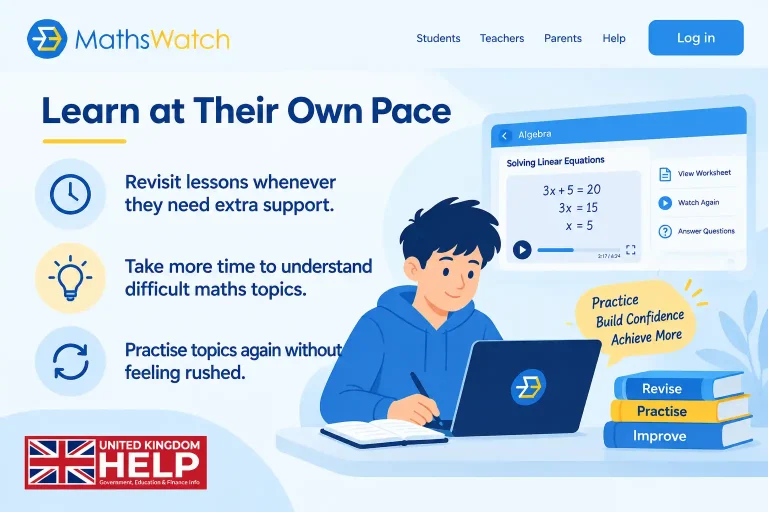
Learn at Their Own Pace
Access Homework in One Place

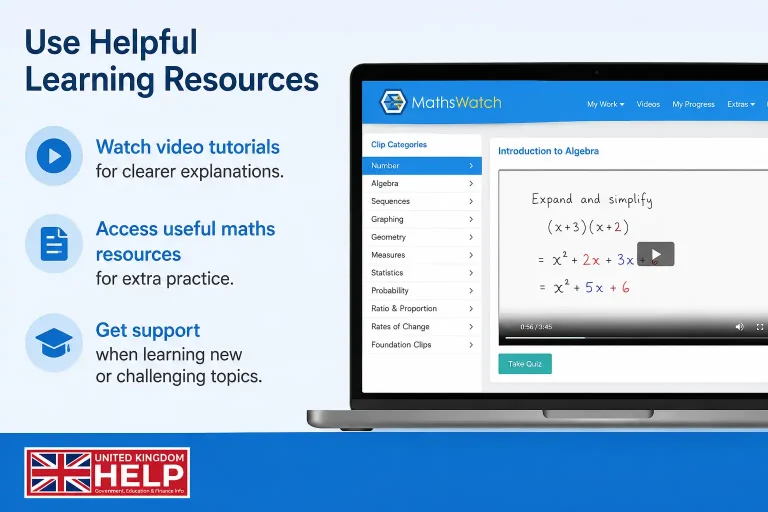
Use Helpful Learning Resources
Keep Track of Progress

Stay organised and manage learning more effectively.
Check completed and outstanding work quickly.
See which tasks still need to be finished.
Keep Your Login Details Safe
Keeping your login information secure helps protect your account and school work.
Use school-provided details
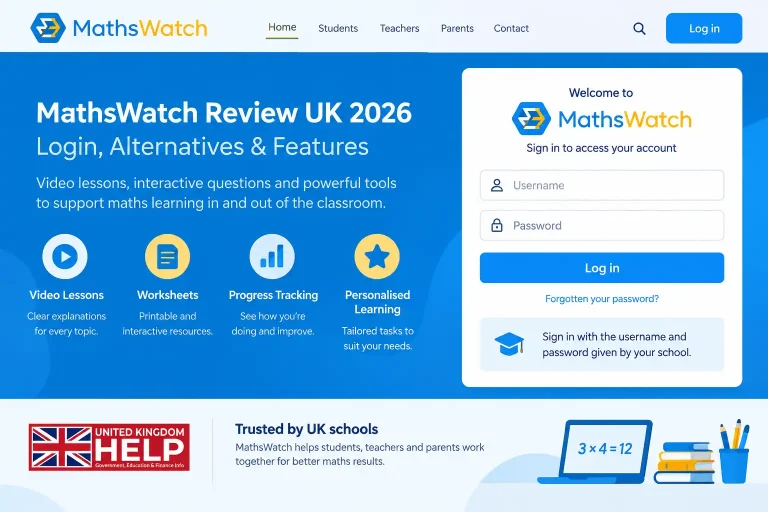
Sign in with the username and password given by your school.
Keep your password private

Do not share your login details with other students.
Ask for help if needed
Contact your teacher or school administrator if you cannot access your account.
Understand different access levels
Teachers and administrators may have extra permissions to manage classes, assignments and student information.
Forgotten Passwords and Password Reset
If a student cannot access their account, they should use the school’s recommended password recovery process or contact the relevant teacher or administrator.
Schools can reduce recurring access problems by clearly explaining:
This can make account support easier for both learners and staff.
How MathsWatch Supports Learning
It provides a simple learning cycle: learners review an explanation, attempt related questions and use the results to identify areas that still need work.
This can be useful for topics that require repeated practice. A teacher might introduce a method in class, assign related questions for homework and direct students back to the relevant tutorial if they become stuck.
Common uses include:
The main benefit is flexibility. Learners can revisit selected topics without having to repeat an entire course.
Video Tutorials and Mathematical Explanations
MathMathsWatch’s video tutorials explain individual mathematical methods in a concise format.
Teachers can use them during lessons, assign them for homework or recommend particular videos when a learner needs another explanation. Students can pause, replay and review difficult sections before attempting the associated questions.
This can be particularly helpful for independent study because learners are not limited to the pace of a classroom explanation.
Most packages combine video content with practice resources. However, the AS-Level Pure Core package is more limited and provides video content without the same interactive question component.
MathsWatch Questions and Practice Activities
It questions allow learners to apply the methods introduced in the tutorials.
The most effective assignments are focused on specific learning objectives rather than simply containing a large number of questions. For example, a fractions task might progress from simplifying fractions to addition, subtraction and more challenging applications.
A structured sequence can make practice more manageable while allowing teachers to see which skills require further attention.
Where automatic marking is available, students can receive results quickly. Teachers can then use those outcomes to address common mistakes or plan additional instruction.
MathsWatch Worksheets for Classroom and Home Practice
It worksheets provide a printable alternative to online activities.
They can be useful when teachers want students to combine digital explanations with written mathematical work. Typical uses include:
Worksheets can also complement resources from outside the platform. Topic-based searching makes it easier for teachers to locate material that fits a particular lesson or learner need.
Login and Student Access
A login allows students to access the learning resources available through their school’s account. Once signed in, the available features may depend on the school’s setup and the work assigned by teachers.
What Students Can Do
Learn at their own pace – Return to resources when extra practice is needed.
Access assigned homework – View tasks set by teachers.
Use learning resources – Open available videos and maths materials.
Check assigned work – See what needs to be completed.
Keep Your Login Details Safe
Keeping your login information secure helps protect your account and school work.
Forgotten Passwords and Password Reset
If a student cannot access their account, they should use the school’s recommended password recovery process or contact the relevant teacher or administrator.
Schools can reduce recurring access problems by clearly explaining:
This can make account support easier for both learners and staff.
MathsWatch VLE and VLE MathsWatch Access
Some learners search for MathsWatch VLE or VLE MathsWatch when looking for their school’s access point.
The sign-in process can vary according to the school’s setup. Students should therefore follow the access instructions provided by their school and make sure they are using the legitimate Maths Watch service before entering account details.
A Practical Homework Sequence
A simple approach is:
Step 1: Introduce the topic
Explain the concept and make the purpose of the homework clear.
Step 2: Provide supporting material
Direct students to the relevant video or resource.
Step 3: Set focused questions
Choose activities that match the intended learning outcome.
Step 4: Explain expectations
Give students a clear deadline and instructions.
Step 5: Review results
Look for errors, incomplete work or topics causing difficulty.
Step 6: Follow up
Provide further explanation or practice where necessary.
This keeps homework connected to classroom teaching rather than treating it as an isolated task.
Reporting, Marking and Progress Tracking
It provides teachers with tools for setting work and reviewing learner performance.
These reports can help staff identify patterns. For instance, if several learners struggle with the same algebraic skill, the teacher can address that issue with a short follow-up lesson or intervention.
Useful areas of reporting can include:
The data is most valuable when it leads to an appropriate teaching response. Reports should inform decisions rather than become an end in themselves.
MathsWatch UK Curriculum Coverage
It is aimed primarily at the UK education system, with resources covering Key Stage 3 and GCSE mathematics.
The content spans areas such as:
Topic-based resources allow departments to select material that fits their existing curriculum plans.
The platform also offers AS-Level Pure Core video content, although this area is more limited than the main KS3 and GCSE provision.
Revision Support for GCSE and A-Level Learners
It can support revision by allowing students to focus on particular topics instead of following a fixed revision sequence.
For example, a GCSE learner who needs additional help with trigonometry can return directly to that area and practise related skills.
The GCSE offering is more extensive than the A-Level provision. AS-Level Pure Core videos can help learners review concepts, but students preparing for A-Level examinations will generally need additional question banks, textbook exercises and past papers.
Using MathsWatch with Retrieval Practice
It can also form part of a retrieval-practice routine.
Retrieval practice asks learners to recall previously taught information rather than simply rereading notes. A short activity might include:
This encourages students to bring earlier knowledge back into use.
Research on learning commonly supports techniques such as practice testing and distributed practice when they are applied appropriately. However, the platform itself does not guarantee effective learning; task selection and feedback remain important.
Spaced Practice Instead of Cramming
Instead of concentrating revision into one session, teachers can distribute practice across several days or weeks.
For example:
This gives students repeated opportunities to recall earlier material.
It can support this approach when teachers deliberately include previous topics alongside current classroom content.
Interleaving Different Maths Topics
Interleaving involves mixing different types of mathematical problems instead of grouping every question around one method.
A mixed activity might contain:
Students must first recognise the type of problem and then select an appropriate method. This can make practice more demanding than repeating the same procedure several times in succession.
Making MathsWatch Part of Everyday Teaching
It can fit naturally into everyday teaching and learning. Students can use it at different stages of a lesson, helping them understand topics, practise skills and revisit difficult areas when needed.
Before a Lesson
During a Lesson
After a Lesson
For the Best Learning Experience
It works best as part of a wider teaching approach rather than replacing the teacher. Combining digital resources with clear teacher explanations, classroom discussion, practice and useful feedback can give students a more supportive and effective learning experience.
Supporting Independent Learners
Students should use actively rather than simply watching videos.
A useful routine is:
Students who remain stuck may need direct teacher support or a different explanation.
MathsWatch Answers: Understanding the Right Approach
Students often search for MathsWatch answers when they are stuck on homework or unsure how to solve a question. While finding the final answer may seem helpful, understanding the method behind it provides much greater value.
For the best learning experience, students should use explanations and feedback to:
Showing your working and correcting mistakes can turn a difficult question into useful practice. The goal is not simply to find an answer, but to build the confidence and understanding needed to solve the next question on your own.
MathsWatch Bot Searches and Automated Tools
Some students look for a MathsWatch bot or automated tool to answer questions more quickly. However, the best learning experience comes from using technology to support understanding rather than simply completing the work.
The best approach is to use technology as a learning assistant that supports your progress and helps you develop stronger maths skills over time.
MathsWatch for Schools: Best Use Cases
MathsWatch may suit schools looking for a structured resource for secondary maths homework and revision.
It can be a good fit for departments that need:
Schools seeking highly personalised learning pathways or a strongly gamified experience may prefer a different platform.
The right choice ultimately depends on curriculum requirements, teaching routines and the problems the school wants its digital platform to solve.
MathsWatch Alternatives
Several other mathematics platforms and resources can complement or replace MathsWatch.
Sparx Maths
Sparx Maths is a major option for schools looking for structured homework and personalised practice.
It may be particularly suitable for departments that want regular assignments and a consistent whole-school approach.
Corbettmaths
Corbettmaths provides a large collection of free maths resources, including:
It can work well as a complementary resource for teachers and students.
Dr Frost Maths
Dr Frost Maths offers extensive question-based resources and topic-focused practice. It may appeal to schools and learners seeking a broad range of mathematical exercises.
Khan Academy
Khan Academy provides free maths content alongside resources for other subjects. It can support independent learning and foundational skills, although schools should check how well its content fits their UK curriculum requirements.
MathsWatch Reviews: Strengths and Limitations
When assessing Watch reviews, it is better to consider how the platform fits a school’s teaching model rather than relying only on general ratings.
Main Strengths
Clear video tutorials
Students can return to individual explanations when they need another look at a method.
Structured practice
Questions and worksheets can be linked to specific topics and learning objectives.
Homework support
Teachers can assign and monitor work through the platform.
Progress information
Performance data can help identify areas that need further attention.
Strong secondary focus
The platform provides substantial resources for KS3 and GCSE mathematics.
Potential Limitations
Less modern visual design
Some users may find the interface less visually polished than newer educational platforms.
Limited A-Level functionality
The AS-Level Pure Core offering is more focused on videos and does not provide the same interactive practice available in the main secondary resources.
Not a replacement for teaching
Students still benefit from teacher explanation, discussion and guided practice.
Value depends on implementation
A subscription is most useful when staff and learners consistently use its available resources.
Whole-School Retrieval Planning
It can become more effective when retrieval is planned across a department rather than left entirely to individual teachers.
Departments could identify important skills that need to appear repeatedly throughout the year, such as:
Teachers can then include selected earlier topics in later assignments.
Starting with one year group may make it easier to establish a consistent routine before extending the approach across the department.
Supporting Learners Who Need Extra Help
For students who need significant support, simply assigning more online work may not be enough.
A more structured intervention could involve:
1. Teach the concept directly
Use clear explanations and visual or concrete examples where appropriate.
2. Reinforce the method
Use a relevant Watch tutorial as another explanation.
3. Complete guided practice
Work through one or two questions with the learner.
4. Move to independent questions
Use a small number of manageable tasks.
5. Review understanding
Ask the learner which part remains difficult and decide what support is needed next.
This approach keeps the platform as part of an intervention rather than making it the entire intervention.
Common Problems and Troubleshooting
Most MathsWatch problems can be resolved with a few simple checks. Issues are usually connected to login details, internet connectivity, browser settings, devices or the school’s account configuration. The steps below can help students get back to their work quickly.
Login Problems
If you cannot access your account:
Videos Not Working Properly
If a Maths video does not load or play correctly, try the following:
Slow Performance
If Maths is loading slowly, refreshing the page or checking your internet connection may help. Try switching to a stronger network and closing unnecessary apps or tabs. If the issue continues for several students or devices, contact your teacher or school administrator for help with the network or account setup.
How Schools Can Assess Value
A school could trial Maths with one year group before committing to wider adoption.
During the trial, staff could review:
This provides practical evidence about whether the platform improves existing routines.
A consistent departmental approach can also increase its value because students understand what is expected across different classes.
Frequently Asked Questions
Final Thoughts
MathsWatch is a practical choice for schools and students who need structured secondary maths practice, clear video tutorials, interactive questions and useful teacher support. It works particularly well alongside classroom teaching, helping students revisit difficult topics and complete targeted homework or revision. For the best results, teachers should combine the platform with clear learning goals, retrieval practice and meaningful feedback to support stronger understanding and progress.