
EdShed brings spelling, mathematics and literacy activities together in one educational platform. Whether you are a pupil practising weekly spellings, a parent supporting learning at home or a teacher managing classroom activities, the platform provides different tools to make learning more engaging.
If you are looking for EdShed login, the first thing you need is the correct sign-in page and your existing account details. Once logged in, you can access learning activities, including Spelling Shed and MathShed, depending on the products available through your account.
This guide explains how to access EdShed in the UK, use its spelling and maths activities, understand the play features and find the right login route for teachers and pupils. It also covers common password problems and what to know before creating an account.
How to Access EdShed Login
Existing users can access EdShed through its official website. You do not need to search through separate websites to find the main sign-in option.
Follow these steps to access your account:
Open the official EdShed website.
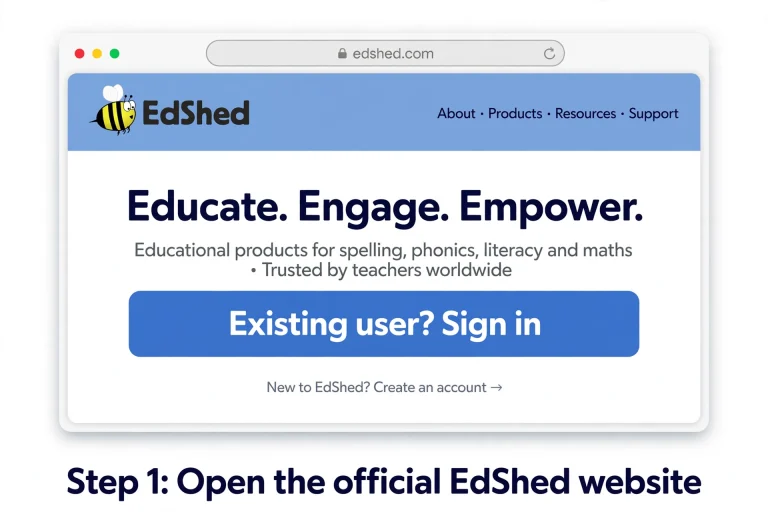
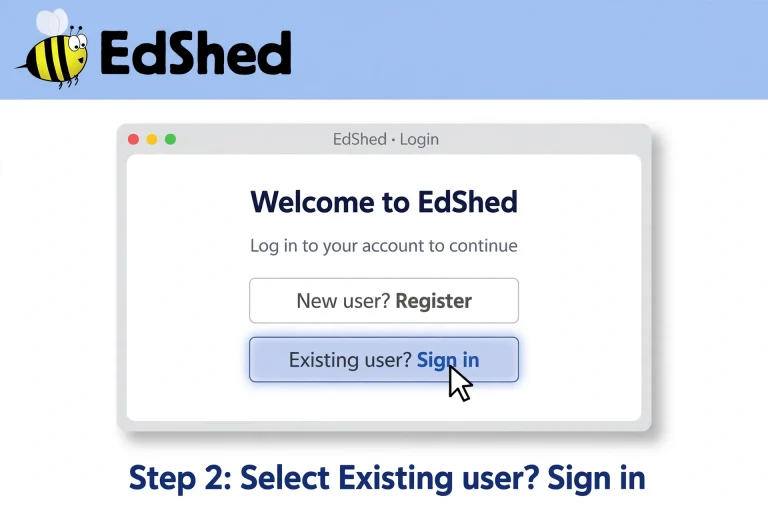
Select the Existing user? Sign in option.
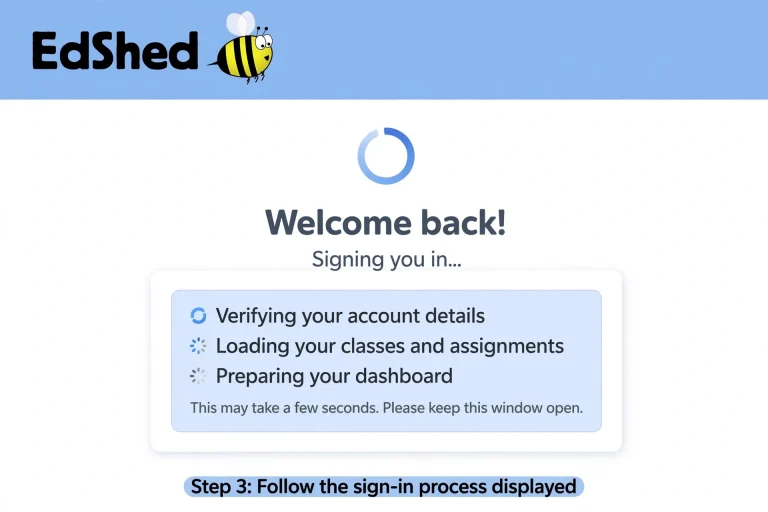
Follow the sign-in process displayed on the page.
Enter the account details associated with your EdShed access.
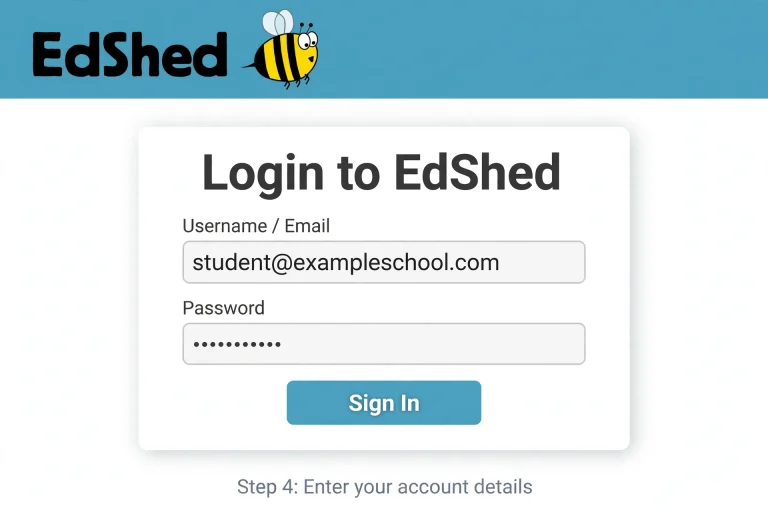
Continue to your available learning products once authentication is complete.
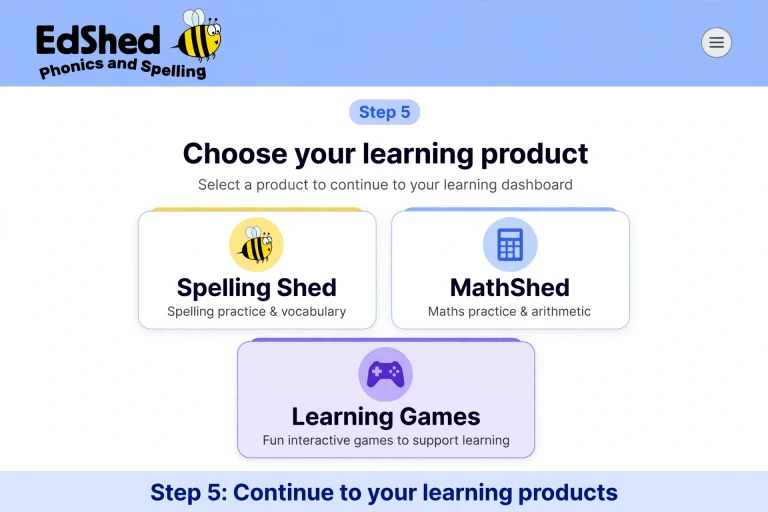
Your school may provide account details or instructions if you use EdShed as part of classroom learning.
A useful tip: Save the official sign-in address in your browser bookmarks if you regularly use EdShed for homework or teaching. This makes it easier to return without searching for the login page every time.
EdShed Login UK: Who Can Use the Platform?
EdShed is an education platform designed around the needs of teachers and learners. Its products are used by schools, families and pupils in different countries, with specific educational schemes available for the UK, US and South Africa.
The platform can be useful for several types of users:
Your available features may depend on the account and products provided by your school or subscription.
Spelling Shed: Practise Spelling Through Interactive Games
Spelling Shed is one of the main products available through EdShed. It helps children develop spelling skills through structured teaching and regular practice.
Rather than relying entirely on memorising individual words, the programme draws on different approaches to spelling instruction. These include phonics, word structure, word origins, spelling patterns and orthographic mapping.
For pupils, the interactive games provide an opportunity to practise words in a more engaging way. Teachers can also use the accompanying resources to support classroom lessons.
What Can You Do with Spelling Shed?
Spelling Shed combines digital activities with printable teaching materials.
Its resources include:
The combination of classroom teaching and digital practice makes Spelling Shed suitable for different learning environments, including school, home and hybrid learning.
How to Play EdShed Spelling Activities
If your teacher has provided access to Spelling Shed, you can use the available games to practise your assigned words.
A typical learning session involves:
The activities are intended to make spelling practice more engaging while helping children become familiar with different word patterns.
EdShed Login Play: How Do the Learning Games Work?
The phrase EdShed login play is commonly associated with pupils who want to access their spelling or maths games.
EdShed uses game-based learning to encourage children to practise regularly. Instead of treating every activity like a traditional written exercise, its games offer interactive ways to reinforce skills.
Depending on the product, pupils can practise spelling patterns, mathematical facts and other curriculum-related topics.
For example, a child working on weekly spelling words can use Spelling Shed activities to become more familiar with the correct spelling of each word. Similarly, a pupil who needs additional number practice can use MathShed’s fluency games.
EdShed Login Play Password: What Should You Enter?
If you are searching for an EdShed login play password, you should use the account credentials provided for your individual or school account.
Keep these points in mind:
Do not use another pupil’s password or share your own account details with other people.
If you have forgotten your password, follow the account recovery instructions displayed on the official EdShed sign-in page, where available. Your school administrator may also be able to help with account access.
EdShed Teacher Login: Resources for Classroom Learning
Teachers use EdShed to support lessons, organise learning activities and access educational resources.
The platform is designed by educators and combines traditional teaching materials with digital learning tools. This approach helps teachers use structured resources while giving pupils opportunities to practise independently.
Spelling Shed provides lesson plans, slides, worksheets and assessment features. MathShed offers teaching materials and interactive activities that support mathematics instruction.
Teachers can use these resources to:
Can Teachers Monitor Pupil Progress?
Yes. Spelling Shed includes assessment and tracking tools that provide teachers with information about pupil practice, progress and attainment.
These features can help teachers understand which areas may need further attention. They can then use the available teaching resources to plan additional support.
The exact information available depends on the product and account access.
MathShed Login: Access Mathematics Practice
MathShed is EdShed’s mathematics learning platform. It is designed to help primary school pupils develop mathematical understanding and improve fluency through structured teaching and interactive practice.
If you are looking for MathShed login, start with the main EdShed sign-in page and access the mathematics product available through your account.
MathShed supports different areas of the primary mathematics curriculum, including:
Its teaching approach combines concrete, pictorial and abstract learning. This allows pupils to build an understanding of mathematical ideas before applying them to questions and exercises.
MathShed Features for Pupils and Teachers
MathShed includes more than digital games. It also provides teaching resources designed to support lessons across primary year groups.
| Feature | How It Helps |
|---|---|
| Teaching slides | Support whole-class mathematics lessons. |
| Fluency games | Encourage regular mathematical practice. |
| Quizzes | Help pupils reinforce what they have learnt. |
| Question sets | Provide opportunities to practise different topics. |
| Early number sense | Develop foundational mathematical understanding. |
| Curriculum resources | Support primary mathematics teaching. |
The platform is aligned with White Rose Maths and other mastery-based curricula.
Teachers can use its materials for classroom instruction, while pupils can practise through the available games and activities at home.
Other Learning Products Available Through EdShed
EdShed is not limited to spelling and mathematics. It offers several educational products that cover different areas of primary learning.
Understanding what each product does can help parents and teachers choose the right resource.
Phonics Shed
Phonics Shed supports early reading development through systematic synthetic phonics.
The programme is validated by the Department for Education and covers learning from early sound awareness through to a complete phonics scheme.
Children meet characters who introduce different grapheme-phoneme correspondences, helping them understand the relationship between written letters and spoken sounds.
Its teaching materials include:
The programme also works alongside the Spelling Shed system and is compatible with the 2007 Letters and Sounds programme.
QuizShed
QuizShed offers quick-fire quizzes that teachers can use to reinforce learning.
One useful feature is its flexibility. Quizzes can be used with individual pupils or groups, either in the classroom or during remote learning.
Teachers can also create, customise and share their own question sets.
QuizShed is described as a free resource. Subscribers can also access exclusive Spelling Shed and MathShed content within the platform.
Common uses include:
Literacy Shed Plus
Literacy Shed Plus focuses on English and literacy teaching across the primary phase.
It provides schools with a collection of teaching materials, lesson plans and assessment resources. The content is designed to help teachers develop reading, writing, grammar, vocabulary and spoken language skills.
Its resources include:
A distinctive feature is its use of literature, films, images and real-world contexts to encourage discussion and creativity.
Teachers can use these materials to develop children’s reading comprehension, vocabulary and confidence in written communication.
Literacy Shed
Literacy Shed provides creative inspiration for literacy learning. It builds on engaging visual material and storytelling to encourage children to explore ideas, develop language and improve their writing.
It is part of the wider collection of educational resources associated with EdShed.
Free EdShed Resources: What Can You Access?
Not every EdShed resource works in the same way. Some products offer free activities, while other features are connected to subscriptions.
Two resources specifically identified as free on the EdShed website are:
1. QuizShed
Pupils can use its quick-fire quizzes to reinforce learning. Teachers can also create and share customised question sets.
2. Interactive Letter Tile Tool
The Letter Tile Tool is a free literacy resource that helps teachers and pupils explore spelling and word construction.
Its features include:
The tool can be particularly useful when teaching spelling patterns or demonstrating how words are constructed.
EdShed also offers the option to sign up for a free account. However, this should not be confused with unlimited free access to every product or subscription feature.
EdShed Login Problems: Common Issues and Solutions
Having difficulty accessing your account can interrupt homework or classroom activities. Before contacting support, check a few basic details.
| Login Problem | What You Can Try |
|---|---|
| Incorrect password | Carefully re-enter your password and check capital letters. |
| Username not recognised | Confirm that you are using the account details provided by your school. |
| Forgotten password | Follow the available recovery instructions or contact your school administrator. |
| Wrong login page | Return to the official EdShed sign-in address. |
| Page not loading | Refresh the page or try another browser. |
| Spelling Shed unavailable | Check whether the product is included in your account access. |
| MathShed not appearing | Confirm with your teacher or school that you have access to the mathematics product. |
What If Your School Provided the Wrong Login Details?
Sometimes the problem is not with the website itself. A pupil may have an old username, an incorrect password or account details that have not been updated.
In this situation, contact your teacher or school administrator. They can check the information provided for your account and advise you on the correct access route.
Avoid repeatedly trying random passwords, particularly when using a school-managed account.
Why Schools and Families Use EdShed
EdShed was founded in 2017 by Martin Saunders and Rob Smith following discussions about improving spelling education in primary schools.
What began with Spelling Shed developed into a wider collection of educational products. The company brings together teachers, technologists and creative professionals to develop learning resources based on educational research and teaching experience.
Its approach focuses on making learning resources useful without adding unnecessary work for teachers.
Some of the main advantages include:
A combination of teaching and technology: Teachers can use printable materials, structured lessons and digital activities together.
Opportunities for regular practice: Interactive spelling and maths games encourage pupils to revisit what they have learnt.
Resources across different subjects: Schools can access tools for spelling, phonics, mathematics, quizzes and literacy.
Support for different learning environments: Activities can be used in school, at home or in remote and hybrid learning arrangements.
Progress information: Available assessment and tracking tools help teachers understand how pupils are progressing.
The main benefit is the range of learning resources available through one educational platform.
Frequently Asked Questions
Final Thoughts
EdShed brings together several educational resources that help children develop important foundational skills. From spelling practice and early phonics to mathematics and literacy, its products offer different ways to support learning inside and outside the classroom.
If you are a pupil, start with the official EdShed login page and use the account details supplied by your school. Parents can use the available resources to encourage regular practice, while teachers can make use of lesson materials, interactive activities and assessment tools.
For the best experience, always use the correct account and check with your school if a particular product is not available.
Read more