
Springpod gives students an opportunity to explore different careers and university subjects before deciding what they want to do after school or college. Instead of relying only on classroom lessons or traditional work placements, students can take part in online activities, experience real-world workplace scenarios and learn directly from universities and employers.
Whether you’re looking for Springpod virtual work experience, trying to access your account, or wondering whether you can receive a certificate, the platform offers several ways to explore future opportunities. Its programmes cover different industries and academic subjects, helping young people understand what studying a degree or working in a particular profession might involve.
This guide explains how Springpod works, how to sign up and sign in, what students can expect from its programmes, and how to make the most of the available learning opportunities.
What Is Springpod and Who Can Use It?
Springpod is an online careers and education platform that connects students with universities and employers through interactive learning experiences. Its main purpose is to help young people explore career options and understand university subjects before making important decisions about their education.
Rather than simply reading about a profession, students can participate in activities designed to give them an insight into real working environments. They can also explore university courses through Subject Spotlights, which introduce different degree subjects and academic experiences.
Spring pod works with universities, employers and professional organisations to develop its programmes. The platform also has a collaboration with UCAS, giving students access to selected Subject Spotlights and Virtual Work Experiences through the UCAS Hub.
Students interested in the following opportunities may find it useful:
The platform is particularly useful when you’re still deciding which subject to study or which career direction might suit your interests.
How to Sign Up for Springpod
If you’re new to the platform, you’ll need to complete the registration process before accessing full-length programmes. Students using the UCAS collaboration can begin by creating a UCAS Hub account and then completing the relevant Springpod sign-up process.
The registration process is designed to give students access to learning opportunities and personalised recommendations.
Springpod Sign Up Through UCAS Hub
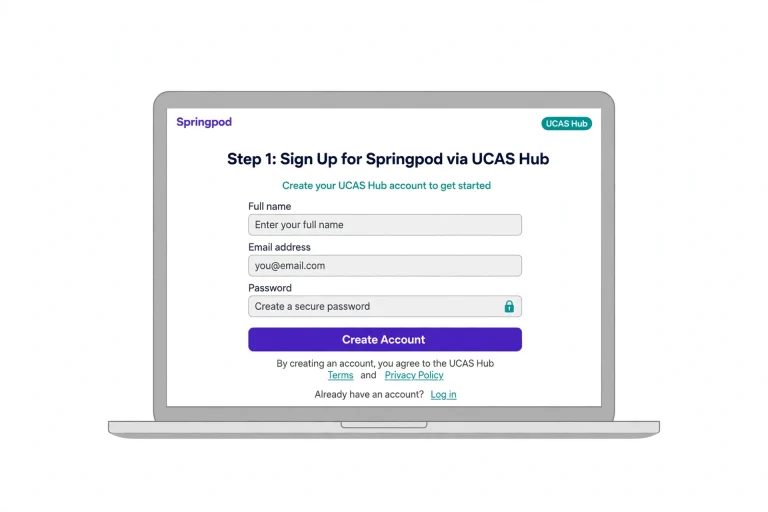
Follow these steps to get started:
You can also explore trailer content without creating an account. However, full-length Subject Spotlights and Virtual Work Experiences require students to sign up and log in.
Helpful tip: Choose a programme based on your interests rather than simply selecting the first available option. A relevant experience can help you understand whether a particular subject or career is worth exploring further.
Springpod Login: How to Sign In to Your Account
If you’ve already registered, the next step is accessing your learning opportunities.
The Springpod login process is connected to the registration route you used. Students accessing programmes through the UCAS collaboration should start by signing in to their UCAS Hub.
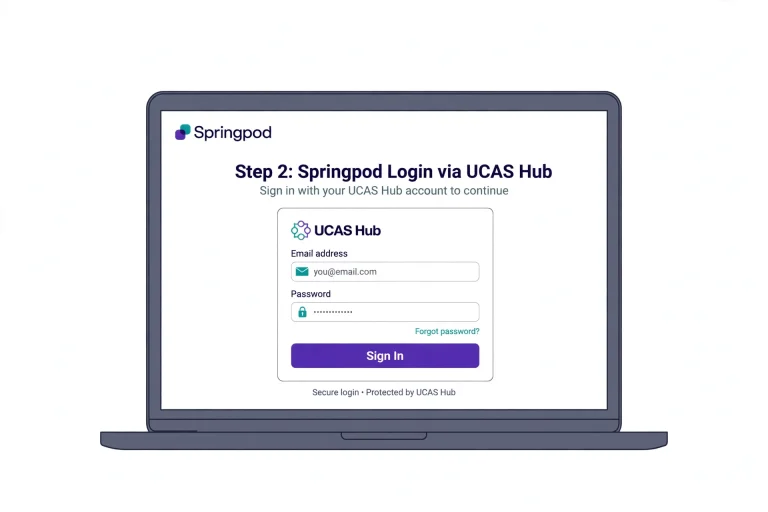
Here’s how to approach the process:
If you’re searching for Spring pod sign in or Spring pod log in, remember that the UCAS Hub is the access point for programmes included in the UCAS collaboration.
What If You Cannot Access Your Account?
A login problem doesn’t necessarily mean your account has been lost. Before trying to register again, check the details you originally used.
Consider these points:
If the issue continues, use the official support options provided by the relevant platform. Avoid creating duplicate accounts until you’ve checked whether your original registration is still accessible.
Springpod Virtual Work Experience: What Can Students Expect?
Virtual work experience is one of the main reasons students use Spring pod. These programmes allow young people to explore different professions without needing to attend a physical workplace.
Students can take part in online activities developed with leading employers. These experiences are designed to introduce workplace tasks, industry knowledge and professional expectations.
Examples highlighted through the UCAS collaboration include opportunities involving organisations such as:
The activities vary depending on the programme. Some experiences may involve observing a live surgery, while others introduce technical challenges, such as designing a lunar landing module.
This gives students a chance to understand how different industries operate through practical, task-based learning.
How Long Does Springpod Work Experience Take?
The length depends on the programme you select.
According to the UCAS information, Virtual Work Experiences generally take between 6 and 10 hours to complete. Students do not necessarily need to finish everything in one sitting because programmes can be paused and continued later.
This flexibility is useful if you’re balancing schoolwork, revision and other commitments.
| Programme | Typical duration | Main purpose |
|---|---|---|
| Subject Spotlights | 30–40 minutes | Explore university subjects |
| Virtual Work Experiences | 6–10 hours | Understand careers and workplace activities |
The duration can vary, so check the individual programme before starting.
Springpod Certificate: Do Students Receive One?
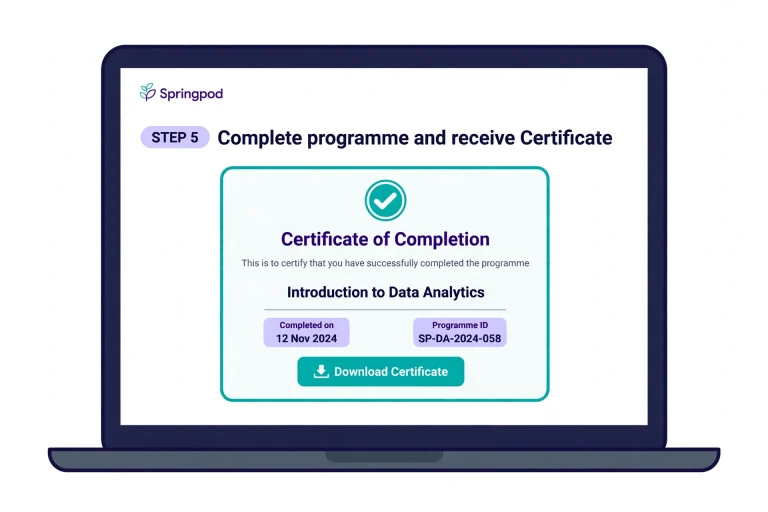
Yes. Students who successfully complete eligible Virtual Work Experience programmes receive a certificate of completion.
These certificates provide evidence that you’ve taken part in a particular learning experience. They can be useful when preparing a CV, university personal statement or apprenticeship application.
For example, if you complete a programme connected with healthcare, engineering or business, the certificate can help demonstrate your interest in that field.
However, a certificate should be viewed as evidence of participation and completion rather than a professional qualification or guarantee of employment.
How Can You Make Your Springpod Certificate More Useful?
Simply completing a programme is a good starting point. You can get more value from the experience by thinking about what you learned.
After finishing a programme:
A university or employer may be interested in what you learned, not just the fact that you received a certificate.
Springpod Psychology and Other Subject Opportunities
Students who are considering university often want to experience a subject before committing to a degree. This is where Springpod Subject Spotlights can be useful.
These online course tasters introduce students to academic subjects through interactive videos, lectures, seminars and activities created with universities.
The available subject areas include Geography, Environmental Science, Sustainability and other disciplines.
Can You Explore Springpod Psychology?
If you’re interested in psychology, you can use the platform’s Discover search tools to check whether a relevant Subject Spotlight or related opportunity is available.
Search by subject and review the programmes currently listed. Availability may change, so it’s better to check the live catalogue rather than assume every subject has an active programme.
Subject Spotlights generally take around 30–40 minutes and can be completed on demand, making them convenient for students who want to explore university learning alongside their normal studies.
Why Are Subject Spotlights Worth Exploring?
They can help you:
For someone who is unsure about choosing between two university subjects, trying a relevant Spotlight can be a useful first step.
How to Find and Start a Springpod Programme
You don’t have to know exactly which career you want before using Springpod. Its search tools allow students to browse different opportunities and narrow their choices.
There are two main ways to discover programmes.
Finding Subject Spotlights
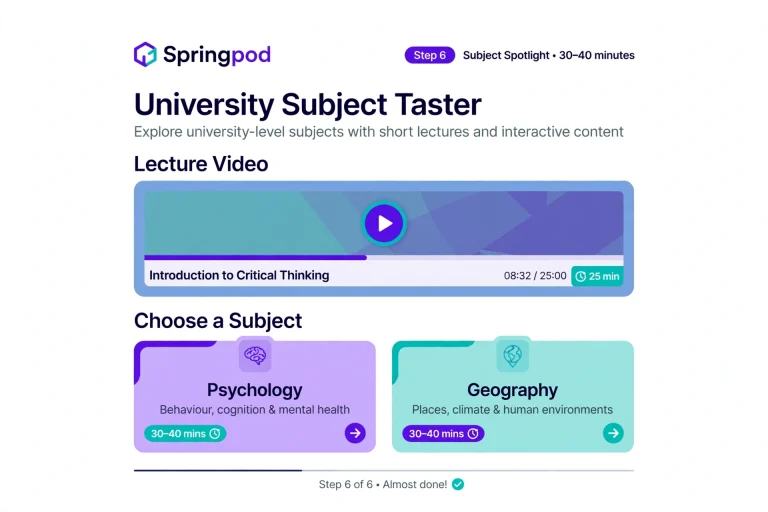
Students can use the UCAS Discover search tool to look for Subject Spotlights.
You can filter available opportunities by:
Relevant programmes may also appear on subject guide pages.
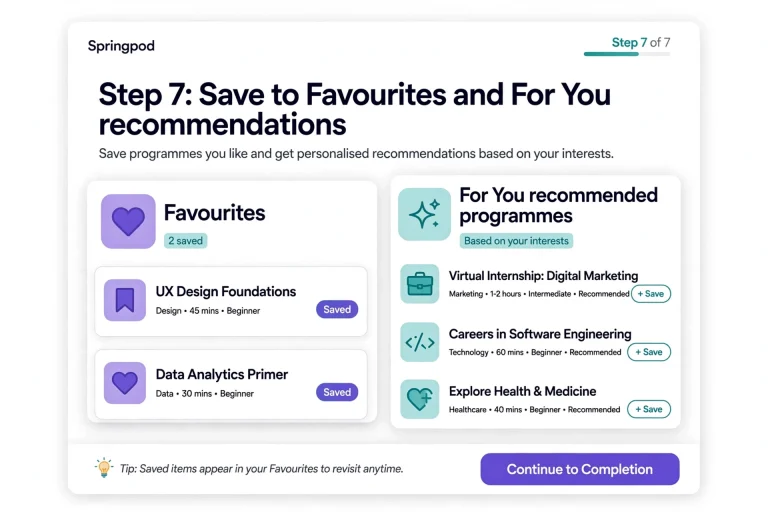
Once you find something interesting, you can save it to your Favourites after signing in. This makes it easier to return to the programme later.
Finding Virtual Work Experience
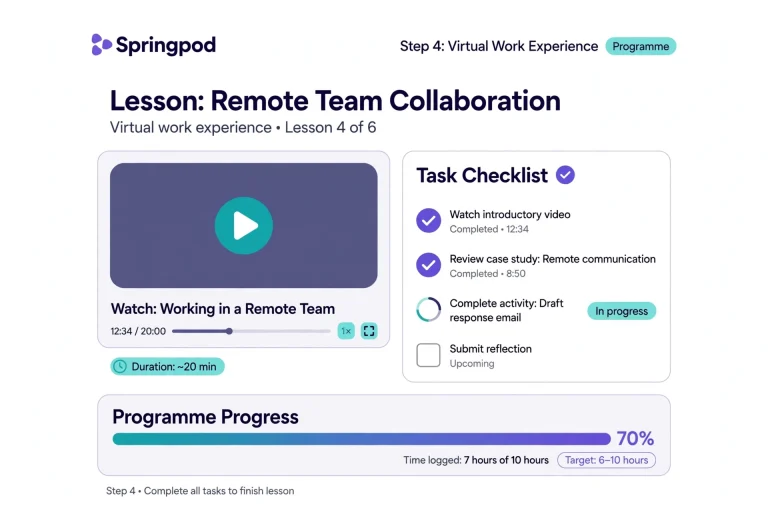
The same general approach applies to careers and workplace programmes.
Use the Discover search tool to explore opportunities by industry or employer. You can then review the available programmes and choose an experience that matches your career interests.
After signing in and completing the required Spring pod registration, you can begin the full-length experience.
Using Favourites and For You
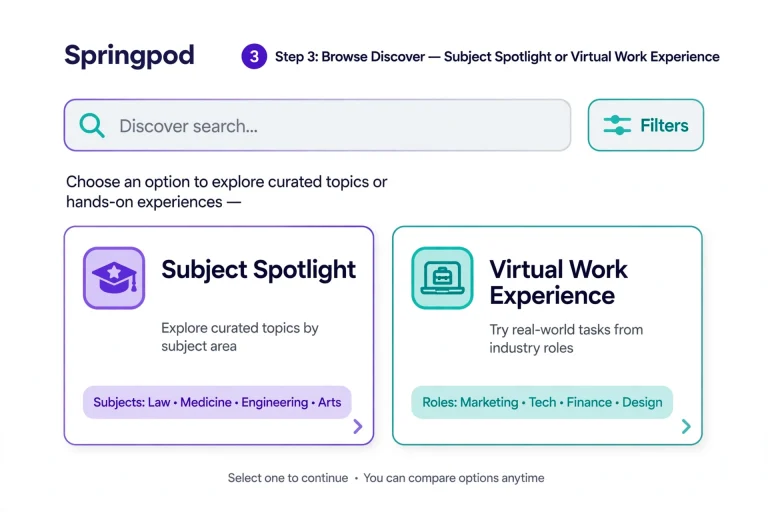
Two useful features available through the Hub are Favourites and For You.
Favourites: Save a Subject Spotlight or Virtual Work Experience that you want to revisit later.
For You: View relevant recommendations based on the opportunities and interests associated with your account.
These features can make it easier to organise your learning rather than searching for the same programmes repeatedly.
Is Springpod Free?
Yes. Spring pod is described as a free careers and education platform, and UCAS provides students with free access to its selected Subject Spotlights and Virtual Work Experiences through its collaboration.
Students can also watch trailer content without an account. Full-length programmes require registration and sign-in.
If you’re searching for Spring pod pricing or wondering whether you need to pay before starting, check the official programme information for the specific opportunity you’re interested in.
The supplied UCAS information confirms free access through its collaboration, but it does not provide a separate pricing schedule for every possible Spring pod service.
Springpod Email and Address: Where Can You Find Contact Information?
Students sometimes search for a Springpod email address or office address when they need assistance with registration, account access or programme information.
However, the information covered in this guide does not provide a verified general support email address or postal address for Spring pod.
If you need to contact the organisation, use its official website and check the current contact or help information rather than relying on an address listed on an unrelated website.
If your issue concerns the UCAS Hub rather than Spring pod itself, make sure you use the appropriate UCAS support route.
Frequently Asked Questions
Final Thoughts
Springpod can be a useful starting point if you’re trying to understand different careers or decide which university subject to study. Its Virtual Work Experiences introduce students to workplace activities, while Subject Spotlights offer a short introduction to academic learning.
If you’re new to the platform, start with the UCAS Hub, complete the required Springpod registration and browse the available opportunities. Choose experiences that match your interests, take time to understand the activities and save your certificates when you finish.
The most valuable part isn’t simply completing a programme. It’s using what you’ve learned to make better-informed decisions about your education and future career.
Read more