
Managing your energy account becomes much easier when you know where to make payments, check your balance and find your billing information. The OVO payment portal and My OVO online account give customers convenient ways to manage payments, review bills and keep track of their energy account online.
Whether you need to complete an OVO portal login, make a one-off card payment, manage Direct Debit or check whether a recent payment has been received, the online account can help you handle these tasks without contacting customer support for every update.
This guide explains how the OVO Energy payment portal works, how to access your OVO account, which payment methods may be available, and what to do if a payment fails or does not appear on your account. It also includes practical tips for checking payment records, dealing with login problems and getting support when you are having difficulty managing your energy payments.
What Is the OVO Payment Portal?
The OVO payment portal is an online payment route associated with OVO Energy and PayPoint. It gives customers a way to handle an energy-related payment online instead of relying solely on an in-person payment location.
This can be particularly useful when you want to make a one-off payment rather than waiting for your normal Direct Debit collection.
There is also an important distinction between the payment page and the wider OVO customer account. The OVO Energy portal is designed for broader account-related activities, while a dedicated payment page may be more convenient when your immediate requirement is to submit a payment.
OVO Portal vs OVO Energy Account
The terminology can be confusing, especially if you are searching for OVO portal login information for the first time.
Think of the services in this way:
The correct option depends on what you are trying to do. You do not necessarily need to use the general account area simply to make a payment.
OVO Energy Login: How to Access Your Account
Your OVO account can be managed online through the My OVO portal, with many account features also available through the OVO Energy app.
If you are using the online service for the first time, you need to complete the account setup process before signing in normally.
Setting up your My OVO account
The registration process is straightforward:
If you have more than one OVO account, you may also be asked for your OVO account number. This can be found on your OVO bills or welcome information.
Tip: If the setup email does not appear, check your spam or junk folder before requesting another email.
Forgot your OVO password?
If you already have an account but cannot remember your password, use the password-reset option on the login page. Make sure you enter the email address associated with your OVO account.
If the reset email does not arrive, check your spam folder and make sure you are using the correct registered email address.
How to Pay Your OVO Energy Bill Online
Making an extra payment can be useful when you want to reduce an outstanding balance or cover energy costs that are higher than expected.
OVO’s current online payment guidance allows customers to make a payment through their online account.
Making a one-off payment
A typical online payment follows this process:
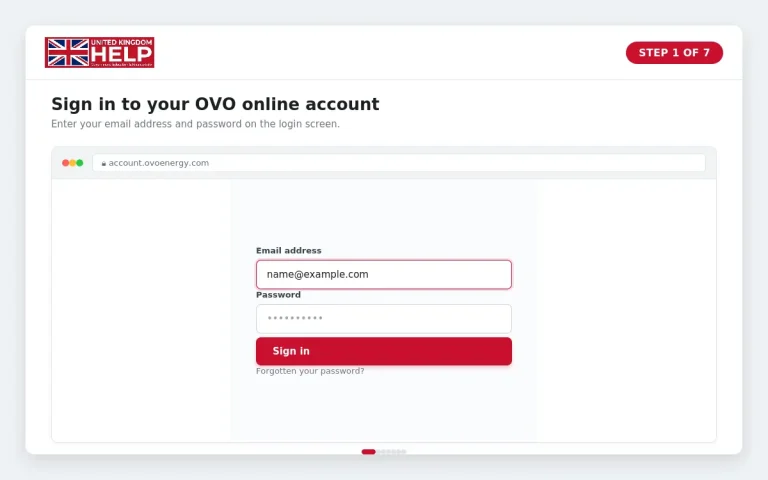
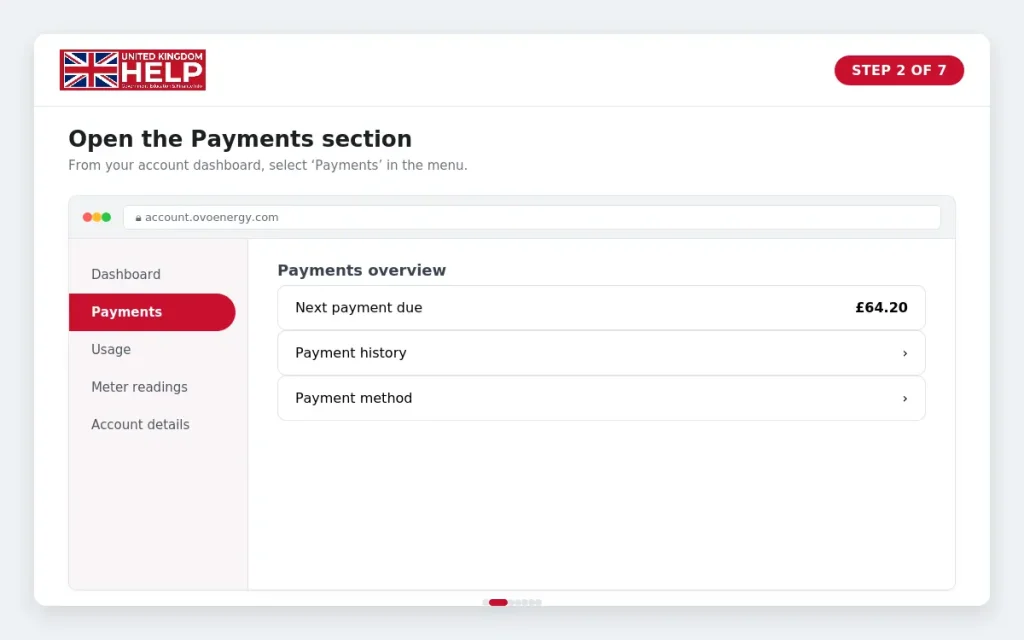
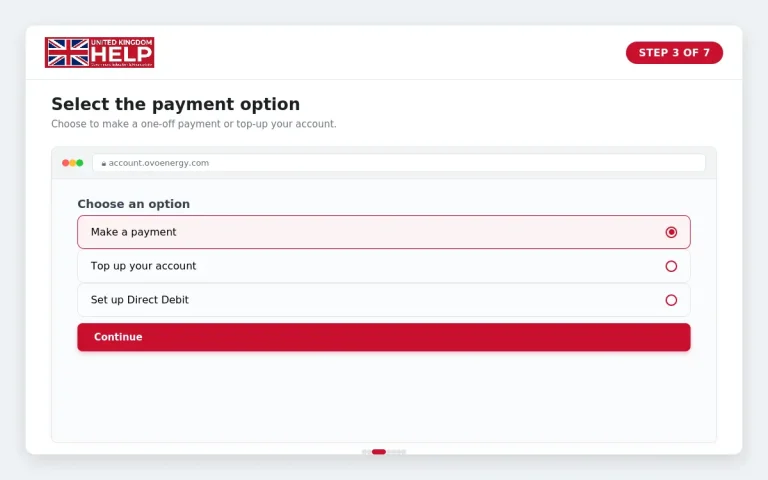
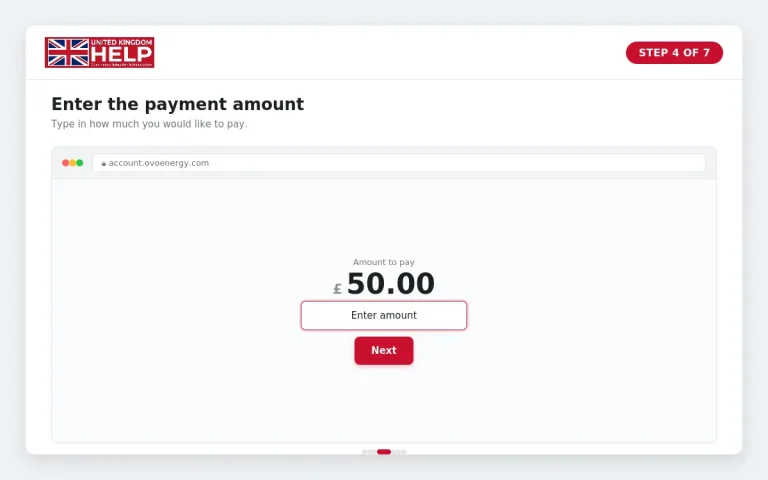
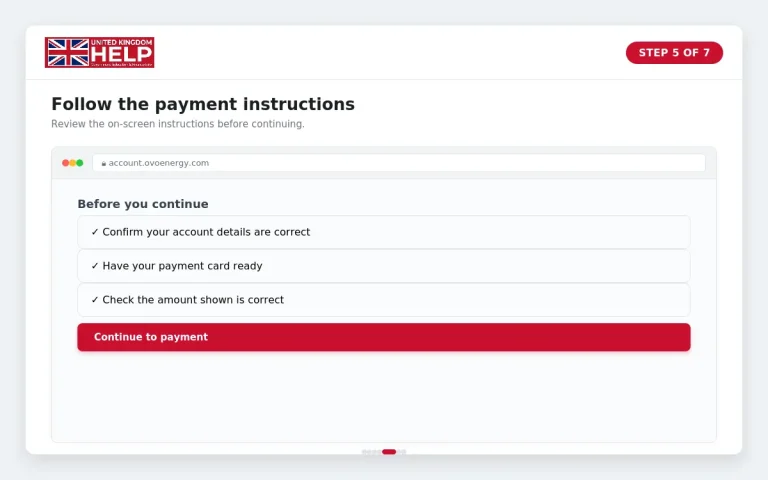
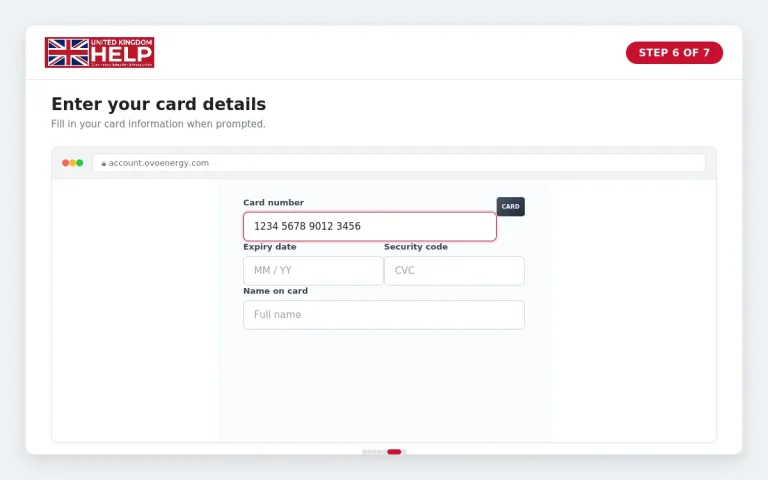
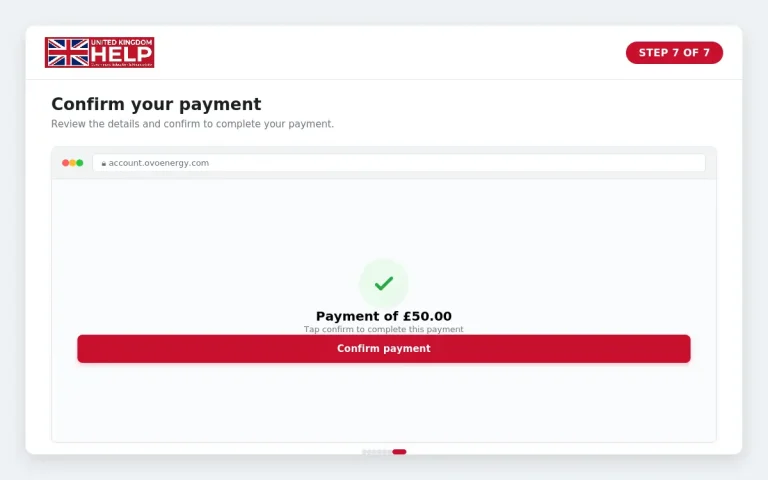
A one-off payment can also be useful for customers who normally pay by Direct Debit but want to bring their account balance back towards £0 after using more energy than expected.
Always check the confirmation displayed after completing a transaction and retain your banking record if you need to investigate a payment later.
Which OVO Payment Method Should You Use?
OVO customers may have different payment options depending on their tariff and account circumstances. OVO’s terms state that available methods can include Direct Debit and standard credit payments, while payment arrangements can vary according to the tariff.
| Payment method | How it works | Useful when |
|---|---|---|
| Direct Debit | A regular payment is collected automatically from your bank account. | You want predictable monthly payments |
| Online payment | You make a manual payment through your OVO account. | You want to reduce a balance or make an extra payment |
| Bank transfer | Money is transferred directly to OVO using the required payment reference. | You prefer making payments through your bank |
| Other available methods | Payment options can depend on your tariff and account arrangement. | Your OVO account specifically offers another route |
Paying by Direct Debit
Direct Debit is designed to spread energy costs throughout the year. OVO explains that the payment amount can be reviewed as your energy use and prices change, so the monthly amount may sometimes increase or decrease.
You can set up or change a Direct Debit through your online OVO account. OVO’s current instructions allow customers to choose a collection date between the 1st and 28th of the month.
The OVO app also provides Direct Debit management through the account and payments area.
Checking Your OVO Payment and Billing History
Reviewing your account regularly can help you spot missing payments, unexpected charges or changes in your balance.
Depending on your account setup, the online account can show billing and payment information. OVO says payments such as Direct Debits and top-up payments appear on bills and in the Billing area of the online account.
When checking your history, look for:
If a payment has been taken from your bank but is not yet visible in My OVO, keep your bank transaction details until the payment has been traced.
What to Do When an OVO Payment Fails
A failed payment does not necessarily mean there is a problem with your entire account. Start by identifying which payment method you used.
If your card payment is declined
Check that:
If the payment continues to fail, your bank may be able to explain whether it has declined or blocked the transaction.
If your Direct Debit does not go through
Check your bank account and OVO account before making another payment manually. If you are unsure what amount is due or whether OVO will attempt collection again, contact OVO rather than making duplicate payments.
If you are having difficulty keeping up with payments, OVO provides a payment-support service that can help customers explore payment arrangements.
If you cannot log in
For login problems, try the following:
Why Is an OVO Payment Missing From My Account?
There are several reasons a payment may not immediately appear in your account.
First, check the payment date and the transaction shown by your bank. Then compare the amount with your OVO account and recent statement.
If you paid by bank transfer, make sure the payment was sent using the correct details and reference information. An incorrect reference can make it harder for a payment to be matched to the right customer account.
If you still cannot find the payment, keep your transaction receipt or bank confirmation. OVO support can use those details to investigate the payment.
Before contacting support, have these details ready:
This can make it easier to trace a missing transaction.
Can You Change Your OVO Direct Debit?
Yes. OVO currently allows customers to set up and change Direct Debit arrangements through their online account. Customers can choose the collection date and enter the payment amount as part of the setup process.
The OVO app also provides Direct Debit controls through the account section.
Keep in mind that changing your monthly payment does not necessarily change how much energy you use. OVO regularly reviews Direct Debit amounts to help keep payments aligned with expected energy costs.
What If You Cannot Afford Your OVO Energy Payments?
Do not ignore an outstanding balance if you are already struggling to pay. OVO has a dedicated payment-support service for customers who need help managing their energy costs.
Its current support process can help customers explore options such as a one-off payment, Direct Debit or a payment plan.
OVO asks for information about your financial circumstances so it can identify an appropriate payment option. Customers can also contact OVO directly for additional financial support.
The important step is to contact the supplier before the situation becomes harder to manage.
OVO Payment Problems: Quick Troubleshooting Checklist
Before contacting OVO, work through this checklist:
Having your account number and payment information available can save time when you contact OVO.
Benefits of Using the OVO Payment Portal
Using the OVO payment portal and online OVO account can make everyday energy account management more convenient. Some of the main benefits include:
1. Convenient Online Payments
You can make an additional payment through your OVO online account when you want to reduce an outstanding balance or cover higher-than-expected energy costs.
2. Easy Access to Billing Information
The OVO portal allows you to review available billing and payment information, including previous bills, Direct Debit payments, one-off payments, credits and balance changes.
3. Direct Debit Management
Customers can manage their Direct Debit arrangements through their online OVO account. This can make it easier to keep payment details up to date.
4. Payment Tracking
Checking your payment history can help you identify missing transactions, unexpected charges or changes to your account balance.
5. Faster Problem Checking
If a payment does not appear correctly, you can first compare your OVO account with your bank transaction and payment confirmation before contacting support.
6. Access Through the OVO App
Many account and payment features are also available through the OVO Energy app, giving customers another way to manage their account.
7. Support When Payments Become Difficult
If you are struggling to keep up with energy costs, OVO provides a payment-support service that can help you explore available payment arrangements.
Tips for Using the OVO Payment Portal
A few simple habits can make managing your OVO account and payments easier:
Frequently Asked Questions
Conclusion
The OVO payment portal and My OVO online account provide useful ways to manage energy payments, review bills and keep track of your account. Whether you need to make a one-off payment, manage Direct Debit, check your payment history or investigate a missing transaction, using the correct OVO online service can save time and make account management simpler.
If you experience a problem, start by checking the basics: confirm your OVO portal login details, review your bank transaction, check your payment confirmation and compare the payment with your latest OVO account information. For Direct Debit issues or ongoing payment difficulties, OVO’s support options can help you understand the next steps.
For security, always access the OVO Energy payment portal through the official OVO website and avoid entering financial or login information into unfamiliar links. Keeping your account details, payment records and receipts available will also make it easier to resolve problems if something goes wrong.
Read more