
Travelling abroad becomes much easier when your documents, money, contact details and essential records are prepared before you leave. A uk passport backup plan is not only about keeping a photocopy of your passport. It means having a practical alternative if your passport is lost, stolen, damaged, delayed during renewal, or you suddenly need important travel information while overseas.
For British travellers, the official GOV.UK Foreign Travel Checklist is a useful starting point. It covers passport and visa checks alongside insurance, health, money, emergency contacts and other preparations.
If you are planning a trip soon, check your passport first. You may need to renew passport UK services before travelling if the document has expired or does not meet your destination’s entry requirements. The rules are not identical everywhere, so checking the destination-specific guidance before booking is important.
Quick answer: A good UK passport backup plan should include secure copies of important travel information, an additional form of photo ID, access to emergency funds, insurance documents and the contact details of the nearest British embassy, high commission or consulate. Before travelling, always check the latest destination requirements on GOV.UK.Visit our Homepage for more information.
What Should Your Passport Backup Plan Include?
A useful travel backup plan is more than keeping a photograph of your passport. You should think about what you would need if your phone stopped working, your uk passport was lost, your payment card failed or you discovered that your document did not meet your destination’s entry rules.
The FCDO recommends having backup access to important travel information, including accommodation details, flight information, passport details, contact numbers and insurance information. It also advises travellers to make sure they can access enough money if their main payment method fails.
Before leaving home, consider keeping:
Keep digital copies somewhere secure rather than relying only on your phone. If the phone is lost or damaged, you still need a practical way to retrieve the information.
Official UK Passport Links
For future reference, these are the key official services to bookmark:
Applying for a UK Passport: What You Need to Know
The application route depends on whether you are applying for the first time, renewing an existing document, replacing a lost or damaged passport, or applying for a child.
For most applications made from within the UK, the online service is the straightforward starting point. GOV.UK allows you to apply, renew, replace or update a passport online.
First-time adult application
If you have never held a British adult passport, the process is different from a normal renewal. You may need to provide additional evidence of identity and nationality, and HM Passport Office may require someone to confirm your identity.
Use the official GOV.UK passport application service rather than an unofficial website.
Online Application Steps
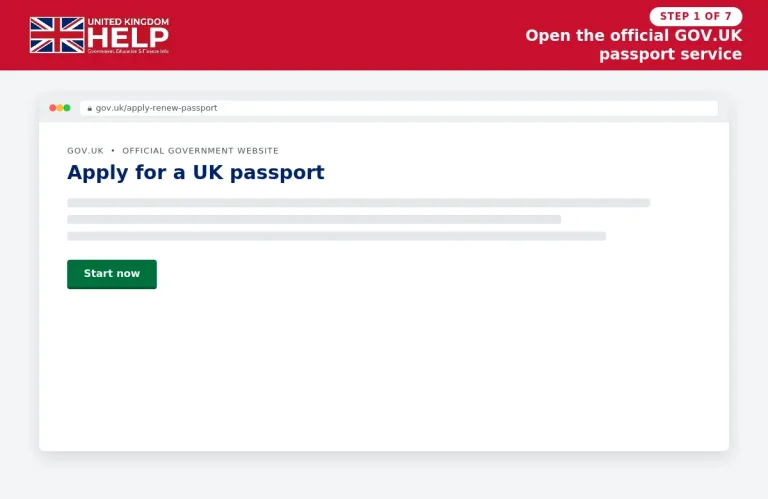
1. Open the official GOV.UK passport service
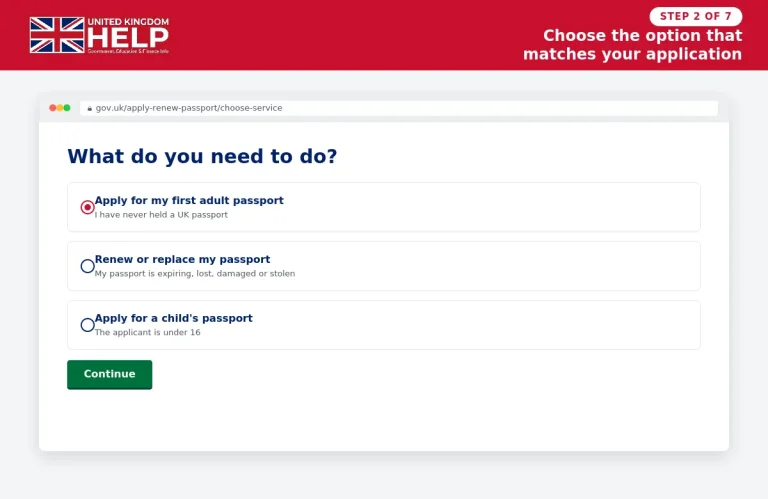
2. Choose the application that matches your situation
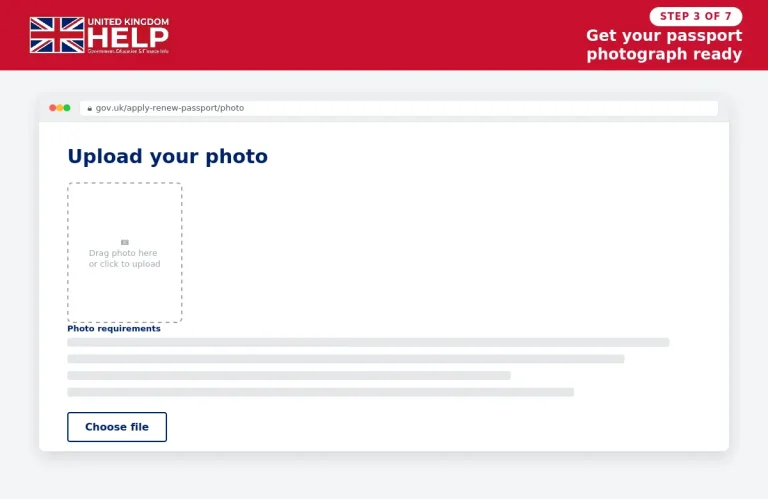
3. Get your passport photograph ready
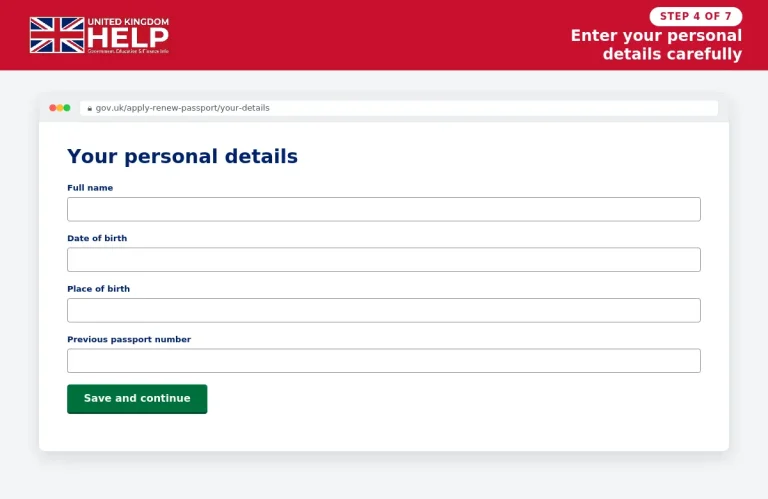
4. Enter your personal information carefully
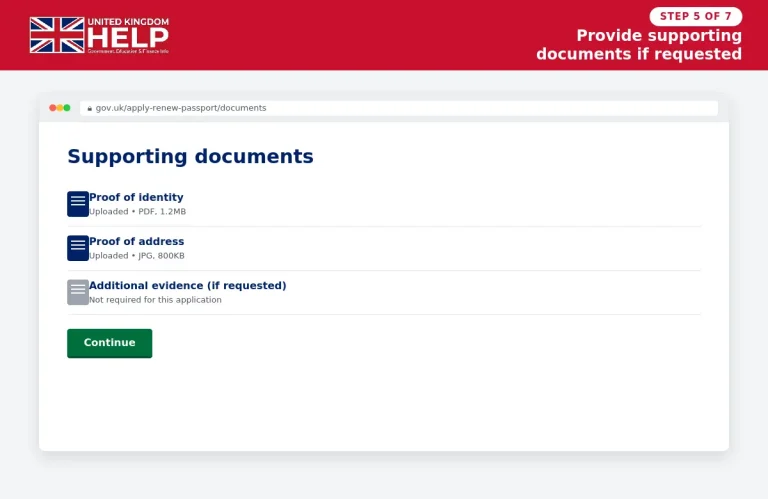
5. Provide supporting documents if HM Passport Office requests them
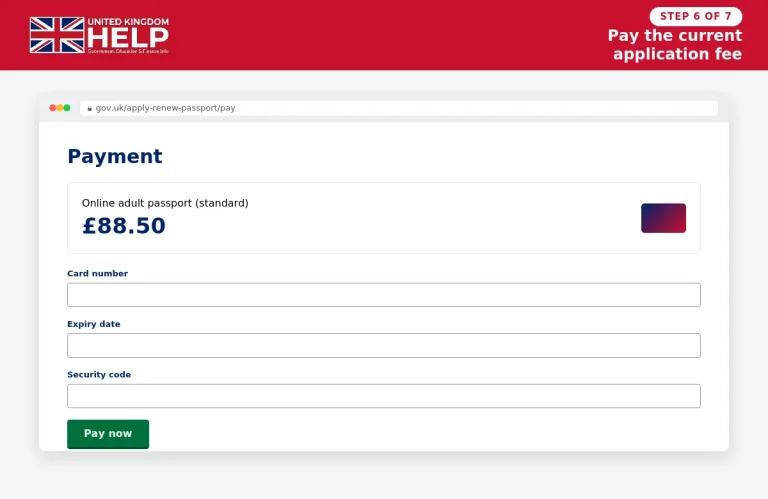
6. Pay the correct passport fee
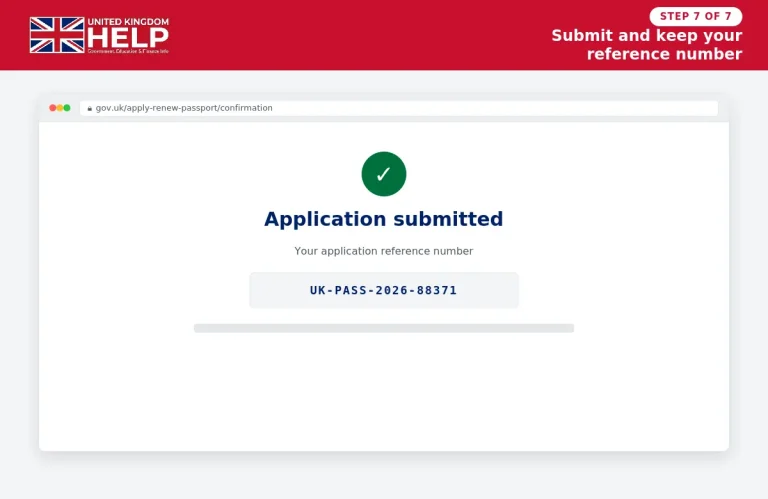
7. Submit the application and keep your reference
Applying by post
A paper application remains available. GOV.UK says you can obtain a paper form from a Post Office offering Passport Check and Send or through the Passport Adviceline. A postal application generally costs more than an online application.
For an adult standard passport, the current UK fee is £102 online or £115.50 by paper form.
Passport Renewal UK: When Should You Apply?
A common mistake is waiting until just before a holiday to check passport validity.
You need to renew if the passport has expired or does not have enough remaining validity for the country you are visiting. The exact requirement depends on your destination, so check the country’s official entry rules before booking travel. GOV.UK specifically advises travellers not to book travel until they have a valid passport.
For destination-specific advice, use the GOV.UK foreign travel advice service and check the entry requirements for your destination.
UK passport renewal online
For a straightforward adult renewal, the online route requires:
The current online renewal fee is £102 for a standard adult passport.
UK passport renewal by post
If you choose the paper route:
The current standard paper fee for an adult passport is £115.50.
What happens to your old passport?
If you are renewing, your old passport may need to be sent with the application. If it contains a valid visa, GOV.UK says you can generally use that visa by travelling with both the old passport containing the visa and your new passport.
This is particularly useful for travellers who have visas or immigration documents connected to an older passport.
UK Passport Renewal Child: What Parents Need to Check
A child under 16 uses a separate passport process. GOV.UK states that someone with parental responsibility must apply and that both parents’ details are normally required.
The current standard child passport costs:
| Service | Current fee |
|---|---|
| Child online application | £66.50 |
| Child paper application | £80 |
| Child standard passport validity | 5 years |
Child renewal steps
For children under 12, GOV.UK says someone may need to confirm the child’s identity online after the application is submitted.
If a child’s name or other personal details have changed, the normal renewal route may not apply. GOV.UK says a new passport application may be required instead.
UK Passport Fees: What Changed in 2026?
The gov.uk passport fee changes took effect on 8 April 2026. Current UK application fees include the following:
| Passport service | Online | Paper |
|---|---|---|
| Adult standard, 34 pages | £102 | £115.50 |
| Adult frequent traveller, 54 pages | £116 | £129.50 |
| Child standard, 34 pages | £66.50 | £80 |
| Child frequent traveller, 54 pages | £80.50 | £94 |
Urgent services cost more. The current official guidance lists a £192 one-week Fast Track fee for a standard adult passport and £239.50 for the one-day Premium Service, subject to the service’s eligibility rules.
If you are applying from outside the UK, different fees apply. GOV.UK’s current fee information lists £116.50 for an adult online overseas application and £130 for an adult overseas paper application, before any relevant delivery arrangements.
For the latest prices, always check the official GOV.UK passport fees page immediately before paying.
A Note About Passport Fees and Travel Planning
Passport prices can change, so old articles and search results may show figures that are no longer current. The Home Office introduced the latest fee changes on 8 April 2026, which is why travellers should use the current GOV.UK fee page when budgeting for an application.
The same principle applies to urgent services. Don’t rely on an old blog post that lists a previous price.
Before paying: check the official fee, service type, eligibility and expected processing information on GOV.UK.
How Much Passport Validity Do You Need?
There is no single validity rule that applies to every country.
Some destinations require a particular amount of time remaining on your passport after arrival, while others calculate validity differently. The safest approach is to check the entry requirements for the exact country you are visiting rather than relying on a general rule such as “six months”.
For example, the current GOV.UK entry guidance for Pakistan says that a passport must have an expiry date at least six months after the date of the visa application.
Before you travel, check:
Use the official GOV.UK Foreign Travel Advice service for country-specific information.
A practical validity check
Don’t simply ask:
“Is my passport still valid?”
Ask instead:
“Does my passport meet the entry requirements for every country on my journey?”
That includes countries where you are changing flights. Transit rules can differ from the requirements for your final destination.
How to Track a UK Passport Application
Once an application has been submitted, tracking helps you see whether HM Passport Office has received and progressed it.
The method depends on how you applied.
Online application
If you applied online using a digital photograph, you can track the application immediately when your reference begins with PEX.
Digital Check and Send
If you applied through a Post Office using the Digital Check and Send service, your reference normally begins with POD, and you can use the online tracking service.
Paper application
For an application submitted using a paper form or the Post Office’s paper Check and Send service, tracking is handled through the Passport Adviceline.
You may need either:
Official tracking: Track your passport application on GOV.UK
The Passport Adviceline is 0300 222 0000 from the UK or +44 (0)300 222 0000 from overseas.
How Long Does Passport Renewal UK Take?
HM Passport Office currently says you will usually receive a passport within 3 weeks, although applications can take longer if more information is needed or an interview is required. Processing time starts when HM Passport Office receives the documents it needs.
This does not mean you should schedule a holiday around the three-week figure.
If your travel date is important, allow extra time for:
GOV.UK specifically advises applicants not to book travel until they have a valid passport because a new passport will have a different passport number from the old one.
If you need your passport urgently
There are separate urgent services, including:
Eligibility and availability depend on the application. Check the official urgent passport service before paying for an expedited option.
What If Your Passport Is Lost or Stolen?
This is where a proper uk passport backup plan becomes especially useful.
Do not continue travelling with a passport that you have reported as lost or stolen. Once a passport has been cancelled, it cannot be used as a normal travel document.
The official GOV.UK passport service provides separate guidance for reporting a document lost or stolen and for getting emergency travel assistance when abroad.
If you lose your passport abroad
Use this sequence:
The FCDO recommends contacting the nearest British embassy, high commission or consulate when assistance is required abroad.
If you are in Pakistan, the British High Commission Islamabad provides information about emergency travel documents. GOV.UK says an emergency travel document may be available if you are abroad and your passport has been lost, stolen, damaged or expired and you cannot obtain a replacement passport in time.
Your Digital UK Passport Backup Plan
Keeping copies of your documents can make a difficult situation easier, but digital backups should be handled carefully.
A sensible system is to maintain a secure copy of:
You can keep these in a secure cloud account that you can access while travelling. Avoid leaving sensitive documents openly available on a shared or public device.
Keep one physical backup too
Digital storage is useful, but it should not be your only option.
A printed copy of essential information can help if:
Store physical copies separately from your actual passport. The purpose is redundancy: if one item disappears, another source of information remains available.
UK Passport Digital Border Travel Changes
International travel is becoming increasingly digital, and this affects both immigration records and border processing.
The UK has moved towards a digital immigration system in which an eVisa records a person’s immigration status electronically rather than relying solely on a physical document. GOV.UK says the transition to the digital system has replaced physical immigration documents with digital records for many people.
This is particularly relevant to people who live in the UK but are not British citizens.
An eVisa is not the same thing as a British passport. It is a digital record of immigration permission or status.
If you have an eVisa, make sure:
GOV.UK has also published guidance explaining what travellers can do when a carrier cannot automatically verify their immigration status.
What Are eGates and What If They Do Not Work?
Eligible biometric passport holders may be able to use automated UK eGates when entering the country.
However, an eGate is not guaranteed to admit every traveller automatically. Border Force may refer a passenger to an officer for additional checks.
Official guidance updated in July 2026 identifies possible reasons including:
This is another reason not to build your entire journey around an assumption that automated border processing will always work.
When approaching UK passport control, GOV.UK advises travellers to keep their passport accessible, remove it from its cover, open it at the photo page and put phones or tablets away when dealing with a border officer.
Digital Travel Changes for Families
Families should check border requirements before travelling, especially when children are involved.
In July 2026, access to UK eGates was expanded to certain children aged 8 and 9 who meet the relevant conditions and are travelling with an adult. The change was announced in May 2026 and applies across more than 290 eGates at UK and juxtaposed ports.
Even when an eGate is available, families should still carry the required passports and supporting travel documents.
For a child travelling with only one parent or with another adult, check the destination’s requirements before departure. Some countries may ask for additional evidence concerning parental consent or the relationship between the child and accompanying adult.
What British Travellers Should Keep in Their Backup Folder
A useful travel folder can be divided into four sections.
1. Identity
Keep secure copies of:
2. Journey
Save:
3. Protection
Include:
4. Money
Prepare for the possibility that your primary payment method fails.
The FCDO recommends ensuring you have enough money available for your trip and considering what would happen if your payment card were lost or stolen.
A second payment method can therefore form part of a sensible uk passport backup plan, even though it is not technically a passport measure.
Before You Leave: 10-Minute Passport Check
Use this quick checklist shortly before travelling:
The official FCDO Foreign Travel Checklist should be used alongside destination-specific travel advice rather than as a replacement for it.
Applying for a UK Passport From Overseas
British citizens living abroad can apply for or renew a passport through the overseas passport service.
The current international fees are different from UK applications. From the current GOV.UK fee guidance, a standard adult application costs £116.50 online or £130 by post, while a standard child application costs £75.50 online or £89 by post.
If you are applying from Pakistan, for example, the official overseas service provides country-specific instructions about photographs, supporting documents and application forms.
Overseas application steps
For applicants in Pakistan, the official overseas service specifically provides a Pakistan application route and instructions for supporting documents.
What If You Need to Travel Urgently From Abroad?
An emergency situation is different from simply wanting a passport faster.
If you are outside the UK and cannot use your British passport, you may be able to apply for an Emergency Travel Document (ETD). GOV.UK says an ETD is normally intended for urgent travel and is usually valid for one single or return journey.
You may be eligible if:
There are additional rules for people who have not previously held a qualifying passport.
Emergency Travel Document application
If eligible, the online process requires information such as:
The current application fee is £125.
Do not assume that an ETD will automatically be accepted everywhere. GOV.UK specifically advises applicants to check whether the document will be accepted in every country they plan to leave, enter or transit, including whether a visa is required.
That check is an essential part of any uk passport backup plan.
Emergency Travel Document: A Practical Example
Imagine you are abroad and your passport is stolen two days before your return flight.
Your first reaction might be to book another flight immediately. It is better to pause and work through the official process.
What to do
GOV.UK warns applicants not to book travel until they receive the relevant confirmation about their Emergency Travel Document. If travel plans change after an application, you may need to apply again and pay the fee again.
Common Passport Mistakes to Avoid
A passport problem does not always involve losing the document. Small oversights can cause problems too.
Mistake 1: Checking the expiry date but not the entry rules
A valid passport does not automatically mean you can enter another country.
Always check the destination’s current rules.
Mistake 2: Booking flights before renewing
If you have already submitted a renewal, do not assume the new document will arrive before your departure date.
GOV.UK advises travellers not to book travel until they have a valid passport.
Mistake 3: Using old fee information
Passport prices changed on 8 April 2026. Current GOV.UK figures should be used instead of older blog posts or social media posts.
Mistake 4: Relying only on your phone
If your phone is lost, stolen or damaged, you may lose access to your flight details, accommodation information and authentication codes.
The FCDO specifically recommends having a backup method for accessing important travel information.
Mistake 5: Keeping every backup in one place
If your passport, phone, wallet and printed documents are all inside the same bag, one theft can remove several layers of protection.
Keep important backups separate.
Mistake 6: Assuming an emergency document works like a normal passport
An Emergency Travel Document can have journey and destination limitations. Check acceptance and visa requirements before travelling.
UK Passport Backup Plan: The Final Travel System
A strong backup arrangement can be divided into three layers.
Layer 1 — Your physical documents
Carry:
Layer 2 — Your secure digital backup
Store secure copies of:
The FCDO recommends having a backup method for key travel information, including passport details, flights, accommodation and insurance.
Layer 3 — Your emergency response
Know:
This three-layer approach gives you options instead of relying on one document or one device.
UK Passport Backup Plan Checklist
Before leaving the UK, run through this final list:
Passport
Application or renewal
Children
Digital preparation
Money
Emergency preparation
Frequently Asked Questions
Conclusion
A passport renewal is only one part of preparing for international travel. Your destination’s entry rules, passport validity, visas, insurance and emergency arrangements all matter.
The FCDO’s current checklist recommends researching your destination, arranging appropriate travel insurance, checking documents, keeping backup access to key information and making sure you can access money if your main payment method fails.
The most useful uk passport backup plan is therefore one you prepare before something goes wrong. Save the official GOV.UK pages, keep your essential information securely backed up, check your passport against your destination’s current rules and leave enough time for a normal application or renewal.
Read more