
Keeping children safe requires schools to recognise concerns early, record important information and make sure the right people can respond. My Concern (also known as Tes MyConcern) is a digital safeguarding platform designed to help schools and multi-academy trusts manage this responsibility. It gives authorised staff a central place to record pupil welfare concerns, monitor cases, manage staff allegations and share relevant information securely. Whether you are a teacher learning how to use the system, a Designated Safeguarding Lead (DSL) managing cases or a member of staff looking for My Concern Login, understanding how the platform works can make everyday safeguarding tasks easier. This guide covers its purpose, main features, reporting tools and account access.
What Is MyConcern and What Does It Mean?
MyConcern is a secure safeguarding and case-management platform developed by Tes for schools and educational organisations. Its main purpose is to help staff document, review and manage concerns relating to children, young people and other individuals who may be at risk.
The name MyConcern refers to the process of recording an individual concern so that it can be reviewed and handled by the appropriate safeguarding professionals. Rather than relying on paper forms, separate spreadsheets or informal messages, schools can use one centralised system to maintain safeguarding records.
The platform supports several important activities:
MyConcern is particularly useful when several members of a school team need access to relevant information while maintaining appropriate confidentiality.
How My Concern for Schools Supports Safeguarding
Schools deal with different types of safeguarding situations every day. A concern might relate to a pupil’s behaviour, emotional wellbeing, home circumstances or an incident reported by another member of the school community.
My Concern for Schools provides a structured way to record this information and help safeguarding teams understand what is happening over time.
1. Secure safeguarding records
Authorised users can record concerns in a central location instead of keeping information across disconnected documents. Access and information sharing can be managed according to the responsibilities of individual staff members.
2. Early identification of safeguarding risks
A single incident may not always show the full picture. By reviewing previous records, safeguarding leads can recognise patterns and consider whether additional support or intervention is needed.
3. Anonymous concern reporting
The platform supports reporting links that allow students, parents and other community members to raise concerns, including anonymously. This can make it easier for people to speak up when they feel uncomfortable approaching a member of staff directly.
4. Separate management of staff allegations
Safeguarding responsibilities also include concerns involving adults working within an educational setting. MyConcern provides tools for managing staff allegations, low-level concerns and self-referrals separately from pupil safeguarding records.
5. Better coordination between school teams
Relevant information can be shared securely with authorised colleagues and trusted professionals. This helps safeguarding, pastoral, SEND and leadership teams develop a clearer understanding of a pupil’s circumstances.
My Concern Login: How to Access Your Account
If you are a teacher, safeguarding lead or another authorised member of school staff, you will generally receive access through your school or trust. My Concern Login is intended for registered users rather than members of the public.
The official Tes MyConcern website provides an Existing customer? Log in option for users who already have an account.
Steps to log in to MyConcern
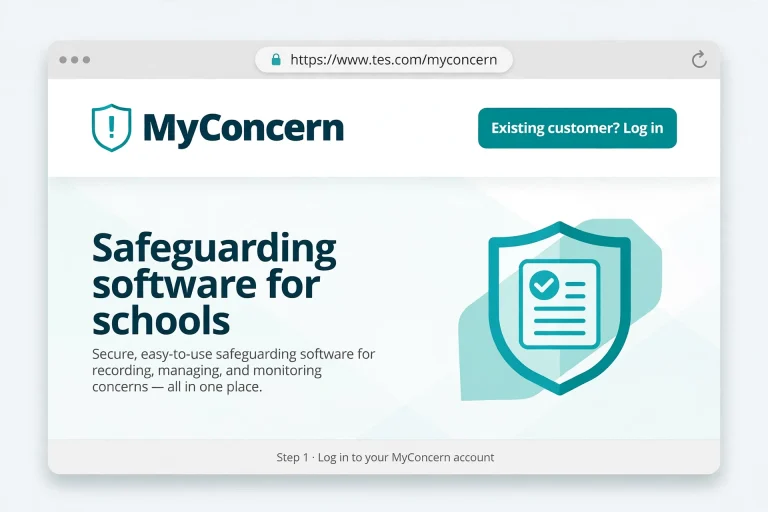
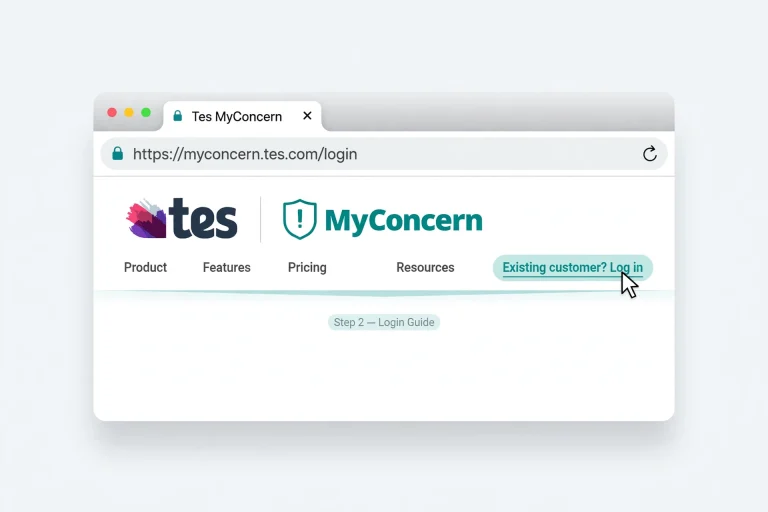
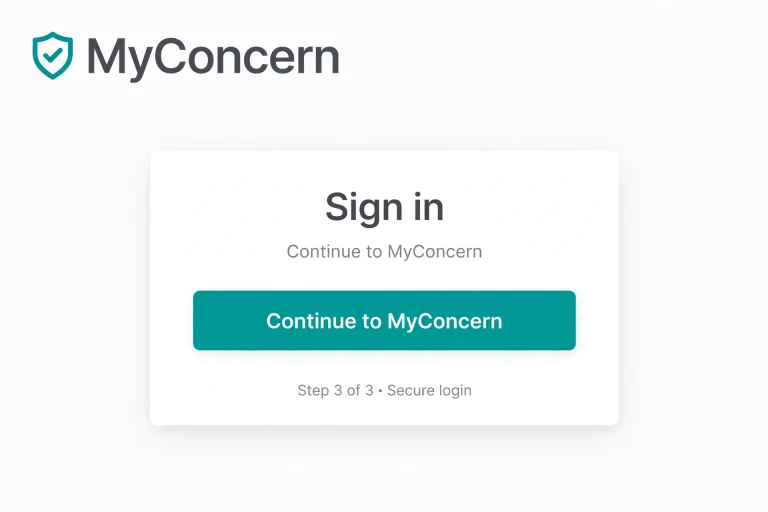
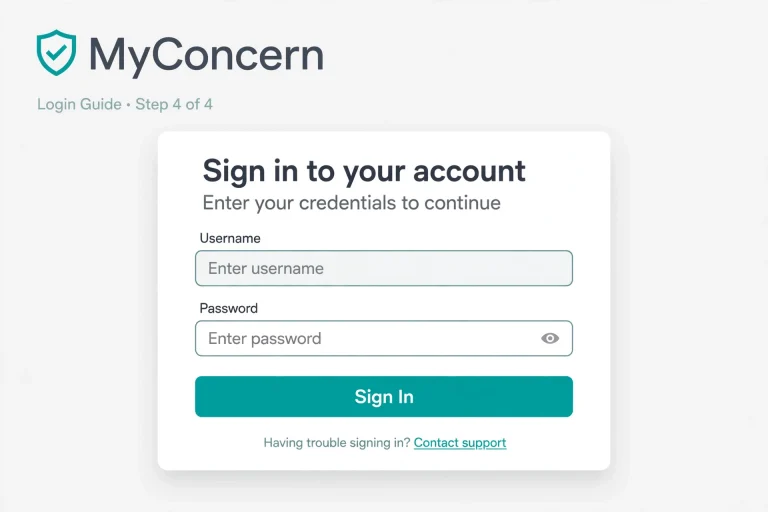
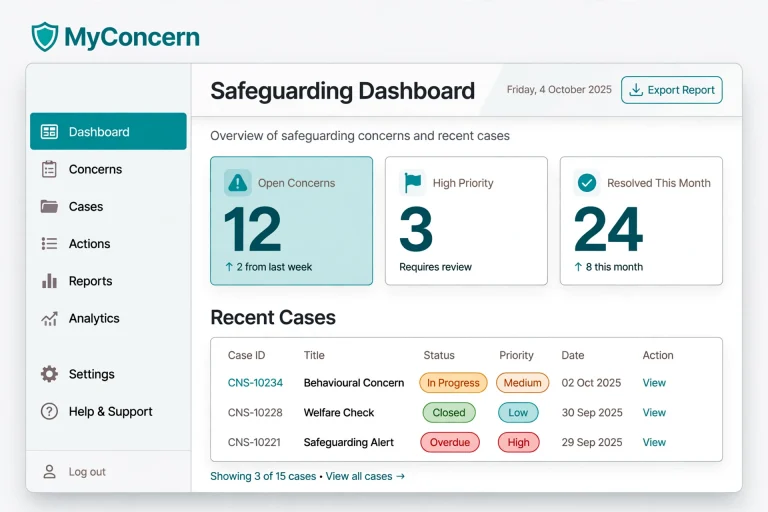
Once signed in, your available tools and information will depend on your assigned permissions and responsibilities.
Important: The supplied source does not specify a universal login URL or a shared username and password. Use the login details and access instructions provided by your school.
What if My Concern Login is not working?
If you cannot access your account, check the following:
Staff should avoid sharing passwords or using another person’s account to access confidential safeguarding records.
MyConcern Safeguarding: Main Features Explained
MyConcern brings several safeguarding tools together to help schools maintain accurate records and respond appropriately to concerns.
Customised safeguarding reports
School leaders and safeguarding professionals need reliable information to understand the concerns being reported across their setting.
MyConcern includes reporting tools that allow users to organise information by:
Reports can be saved, reused and downloaded to support internal reviews, governing body discussions and inspection preparation.
Standardised concern categories also help schools maintain consistency when recording and reviewing information.
Automated chronologies
A chronology provides an organised history of events and actions associated with a particular concern or student profile.
Instead of searching through separate documents, authorised staff can review the available history in one place. This makes it easier to understand how a situation has developed, what actions have been recorded and what may need further attention.
MyConcern also supports secure tracking and sharing of relevant information with trusted professionals when required for meetings or legal proceedings.
Secure information sharing
Safeguarding often involves communication between different professionals. MyConcern supports secure information sharing with authorised colleagues and external agencies.
Its approach is designed to support relevant safeguarding guidance, including:
The platform also supports the transfer of safeguarding records when students move between educational settings, helping important information follow the child.
MIS integrations
MyConcern can connect with different school Management Information Systems (MIS) through its integration partner, Wonde.
The source identifies the following examples:
| MIS platform | Integration |
|---|---|
| Arbor | Supported through the Wonde integration partnership |
| SIMS | Supported through the Wonde integration partnership |
| Bromcom | Supported through the Wonde integration partnership |
These connections can help schools bring relevant student information into their safeguarding workflows and reduce some manual administration.
How MyConcern Helps Schools Improve Inclusion
Safeguarding and inclusion are closely connected. Understanding a pupil’s needs often requires more than looking at one incident or behaviour record.
MyConcern helps schools bring together safeguarding, wellbeing and pastoral information to develop a broader understanding of each learner.
Its contribution to an inclusion strategy can be understood in four areas:
Identifying needs earlier: Reviewing safeguarding concerns, wellbeing indicators and family circumstances can help staff recognise possible barriers to learning and participation.
Coordinating support: Safeguarding leads, pastoral teams, SEND professionals and senior leaders can work from a clearer understanding of a pupil’s circumstances.
Monitoring progress: Records of concerns, actions and case progression can help teams review how support is being delivered.
Evaluating outcomes: Wider information can support discussions about whether interventions are working and where adjustments may be needed.
This approach helps schools connect safeguarding information with wider pupil-support decisions without losing sight of individual circumstances.
MyConcern App and App Download: What Should Users Know?
Teachers and other school professionals may search for a My Concern App or My Concern App Download when they want to access safeguarding information from a mobile device.
However, the supplied product information does not confirm a separate downloadable mobile application, its availability on Google Play or the Apple App Store, or specific Android and iOS installation instructions.
Before downloading anything, consider these points:
If your organisation provides mobile access, follow its instructions for signing in securely.
Staff Safeguarding and Community Reporting
MyConcern is not limited to pupil-related incidents. It also provides tools to support a wider safeguarding culture across schools.
Staff safeguarding
Schools need an appropriate way to document concerns involving members of staff. MyConcern includes separate arrangements for recording and managing:
Keeping these records within a confidential process helps schools manage sensitive matters professionally and maintain appropriate oversight.
Community reporting
Students are not always comfortable reporting a problem face to face. Parents and other members of the school community may also notice something that needs attention.
MyConcern provides a secure reporting tool that supports anonymous submissions. This gives students, parents and other individuals a way to communicate safeguarding and wellbeing concerns.
For schools, accessible reporting can help encourage openness and make it easier for concerns to reach the appropriate people.
Other Tes Safeguarding Solutions
MyConcern is part of a wider range of safeguarding products and services offered by Tes.
Tes Clarity
Tes Clarity is designed for multi-academy trusts (MATs) and local authorities. It collects MyConcern information from multiple schools and presents it in a way that helps leaders identify patterns, review trends and make informed safeguarding decisions.
Tes Safeguarding Training
Tes also offers safeguarding training for school communities. Its training provision includes access to more than 80 online courses covering areas such as:
These resources are intended to help school staff maintain their safeguarding knowledge and understanding.
MyConcern Contact Number and Customer Support
If you need help with My Concern Login, account access, training or technical problems, your first point of contact should usually be your school’s system administrator or safeguarding lead.
The supplied product information does not provide a verified, dedicated MyConcern contact telephone number. It does, however, identify Tes as the product provider and offers the option to contact its team for further information.
Here are the appropriate routes depending on your situation:
| Your issue | Where to start |
|---|---|
| Missing login details | School administrator or DSL |
| Staff account access | DSL or DDSL |
| New staff training | School safeguarding lead |
| Product information | Official Tes MyConcern team |
| Integration enquiries | Tes product team |
| Trust-wide reporting | Relevant school or trust administrator |
For product enquiries, use the contact options available through the official Tes MyConcern website rather than relying on an unverified phone number.
Frequently Asked Questions
Final Thoughts
MyConcern provides schools with a structured way to handle safeguarding responsibilities, from recording individual concerns to reviewing cases and sharing relevant information securely. Its reporting, chronology and integration features can help safeguarding professionals understand emerging risks and coordinate support more effectively.
For teachers and other authorised staff, knowing how to access My Concern Login and follow their school’s reporting procedures is an important part of using the platform correctly. If you are new to the system, ask your safeguarding lead for account access and training before recording or reviewing confidential information.
Read more