
Planning a holiday or an overseas trip? Before booking flights or making travel arrangements, check when your British passport expires. An expired passport can prevent you from travelling, and some destinations require your document to remain valid for several months after your planned return date.
The good news is that Passport Renewal in the UK can usually be completed online without visiting a passport office. You can also apply using a paper form or choose an urgent service if you need your new document sooner. The right option depends on whether you’re renewing an adult or child’s passport, how much time you have and whether you need additional assistance with your application.
This guide covers the application process, documents, current fees, child passport requirements, fast-track options and ways to check your application progress. Whether you’re renewing an expired document or preparing for an upcoming holiday, you’ll know what to expect before starting.
UK Passport Renewal: Which Application Route Should You Choose?
Before starting your application, decide which service is appropriate for your circumstances. Most applicants can use the standard online service, but paper applications and Post Office assistance are also available.
Here are the main options:
| Application method | Who can use it? | What to expect |
|---|---|---|
| Standard online renewal | Adults and children | Apply through GOV.UK |
| Paper application | Adults and children | Complete a physical application form |
| Digital Check & Send | Adults and children | Post Office completes and submits the application digitally |
| Paper Check & Send | Adults and children | Staff check your paper application before sending it |
| One-week Fast Track | Eligible adult and child applicants | Appointment followed by delivery within approximately one week |
| One-day Premium | Eligible adult applicants | New passport normally available on the appointment day |
Which option makes the most sense?
You can begin with the official GOV.UK passport renewal service.
How to Apply for Passport Renewal Online
For most people, renewing online is the most convenient way to replace an existing British passport. You can complete the application from home, upload a suitable photograph and pay electronically.
You should have your current or expired passport available before starting. It’s also worth preparing your payment card and photograph so you don’t have to stop halfway through the process.
Step-by-step online application
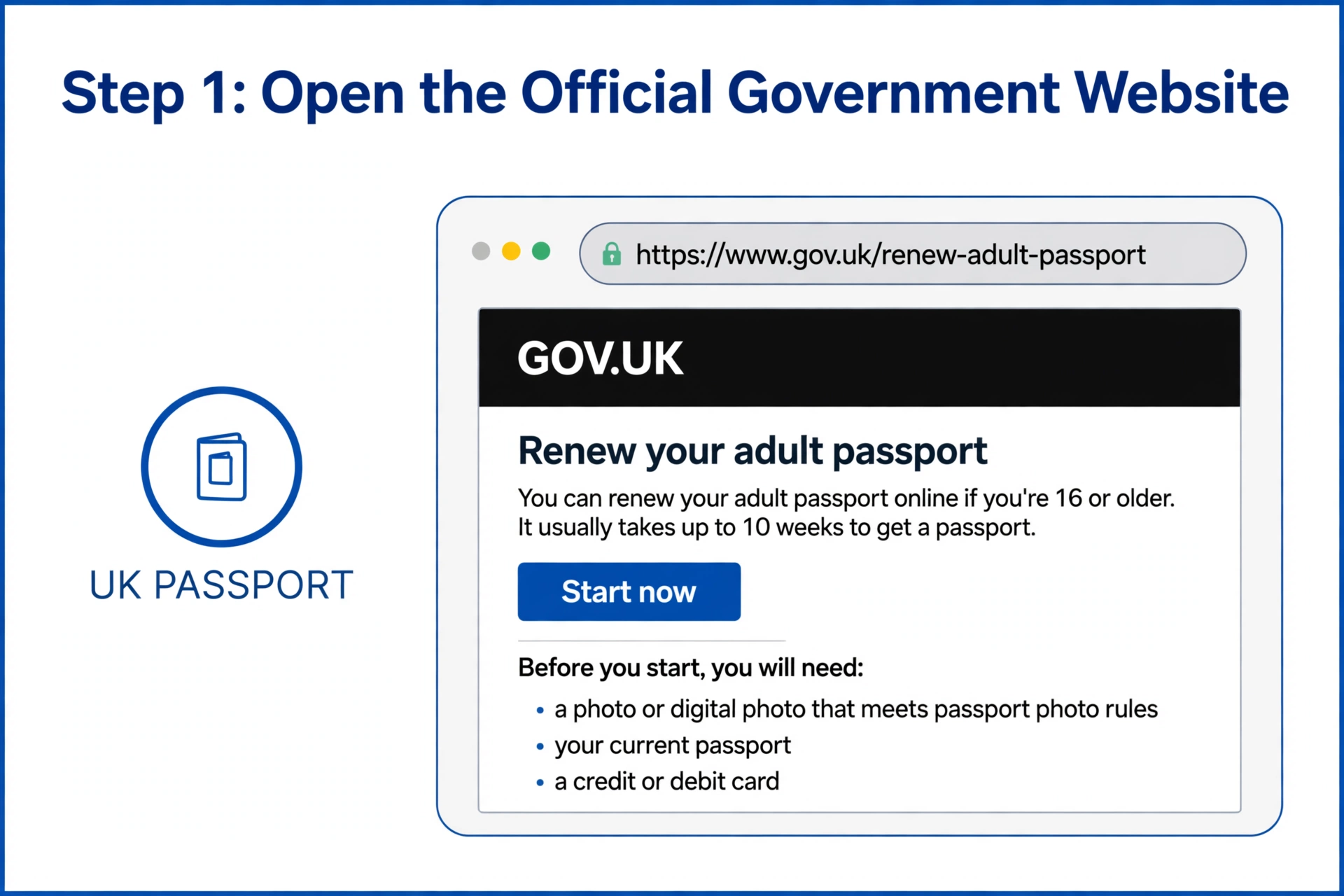
Step 1: Open the official government website
Visit the GOV.UK adult passport renewal page. Make sure you’re using the official government website rather than an advertisement or an unrelated third-party application service.
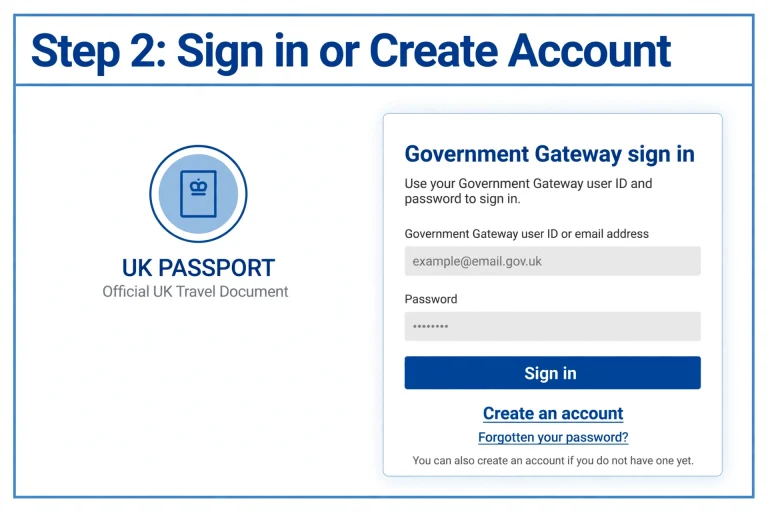
Step 2: Sign in or create an account
Follow the instructions to access the online application. Where requested, use your Government Gateway account or complete the account setup process provided by the service.
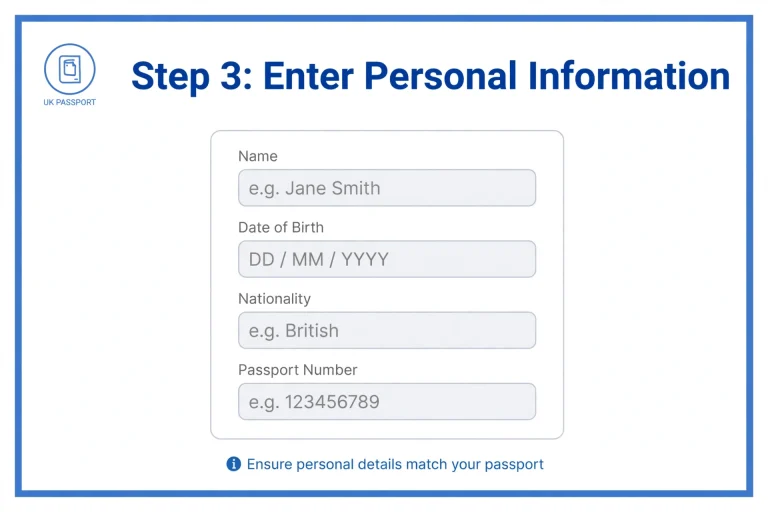
Step 3: Enter your personal information
Provide the details requested in the application. Your name, date of birth and other personal information should match your existing passport and supporting documents.
If your name or personal circumstances have changed, follow the relevant instructions rather than assuming that an ordinary renewal is sufficient.
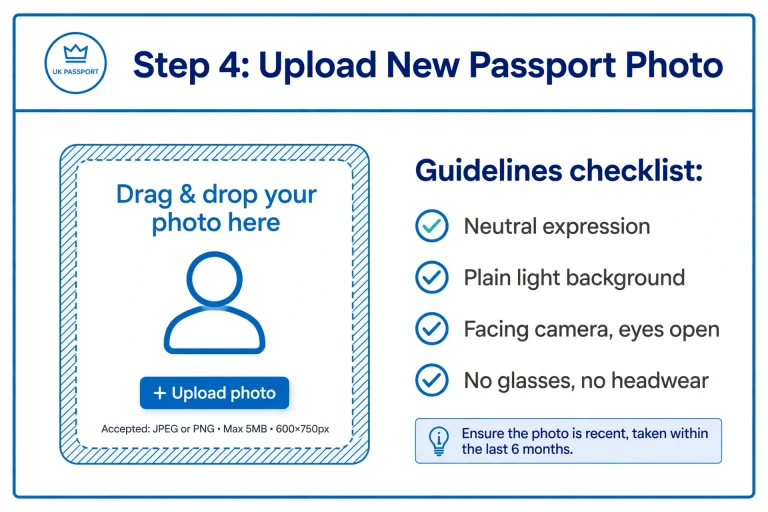
Step 4: Upload a new passport photograph
You’ll need a recent digital photograph that meets HM Passport Office requirements. Check the photograph carefully before uploading it, as unsuitable images can delay an application.
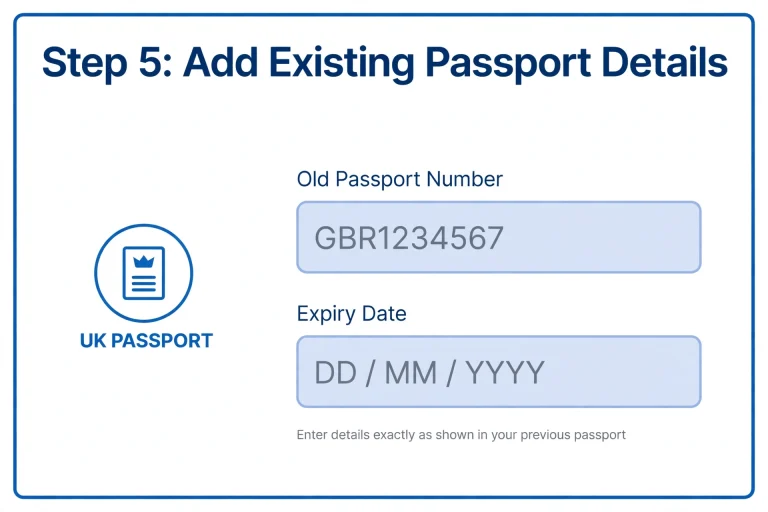
Step 5: Add your existing passport details
Enter the information requested from your current document. The Passport Office will provide instructions about sending your old passport when necessary.
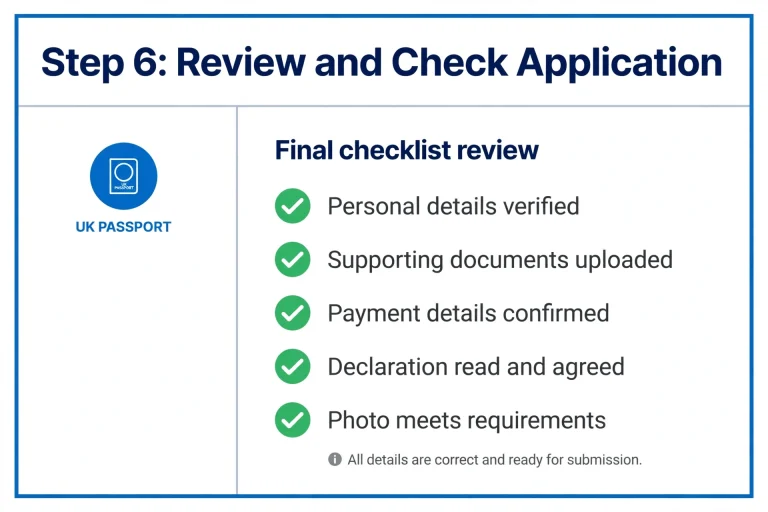
Step 6: Check everything before submission
Review your application from beginning to end. Even a small spelling error or incorrect date can cause problems later.
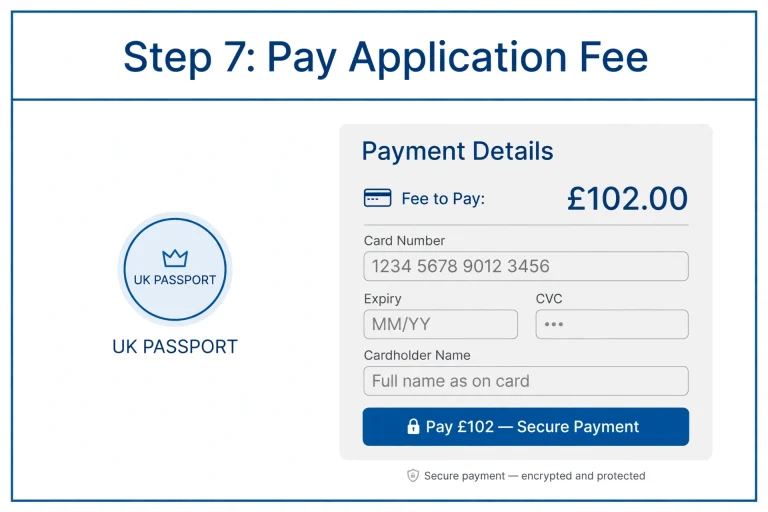
Step 7: Pay the application fee
Pay using an accepted debit or credit card. The amount depends on the type of passport and application service.
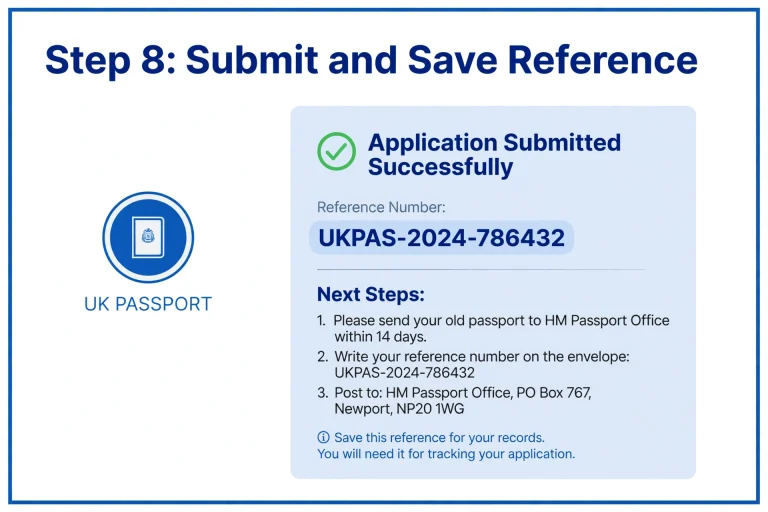
Step 8: Submit your application and save the reference
After submission, keep your confirmation and application reference number. You’ll need these details if you want to check the progress of your renewal.
Follow any instructions from HM Passport Office about sending your existing passport.
Documents and Information to Prepare Before Applying
Getting your information ready beforehand can make the application less stressful. The exact requirements depend on whether you’re renewing an adult passport, applying for a child or replacing a lost or stolen document.
For a standard renewal, prepare:
If you’re replacing a lost or stolen passport, you may also need information from someone who can confirm your identity.
According to the supplied Post Office guidance, this person must:
You’ll need their name and email address. Check with them first because HM Passport Office may contact them to confirm your identity.
UK Passport Renewal for Children: What Parents Need to Know
A child’s passport has different requirements from an adult document. Parents or someone with parental responsibility must make sure the application is completed correctly and that the photograph meets the relevant standards.
Children need their own passports when travelling internationally. An adult passport cannot be used in place of a child’s travel document.
How to Renew a Child’s Passport Online
You can renew a child’s passport online through the official government service or use a paper application.
Before starting, prepare:
Visit the official GOV.UK child passport renewal guidance to check the latest requirements.
The person applying must provide the information requested by the application service and follow the instructions for parental responsibility.
Important Child Passport Application Requirements
Some additional requirements depend on the child’s age and circumstances.
For example:
For paper applications, the supplied guidance identifies sections 1, 2, 3, 4 and 9 as the sections to complete. Section 6 must be signed by children aged 12 or older.
If a counter-signatory is required, they must complete the relevant section, sign the form and confirm the child’s photograph.
A useful tip for parents: Don’t leave the photograph until the last minute. Children’s appearance can change considerably between passport applications, so check the current photograph requirements before submitting anything.
How Much Does Passport Renewal Cost in the UK?
The amount you pay depends on the applicant’s age, passport type and chosen application method.
The following figures are taken from the fee information dated 8 October 2026 in the supplied source.
Standard Passport Renewal Fees
| Passport type | Online application | Paper application |
|---|---|---|
| Adult (34-page) | £102 | £115.50 |
| Adult frequent traveller (54-page) | £116 | £129.50 |
| Child under 16 | £66.50 | £80 |
| Child frequent traveller (54-page) | £80.50 | £94 |
Urgent Passport Renewal Fees
If you cannot wait for standard processing, the supplied fee information lists these urgent services:
| Passport type | One-week Fast Track | One-day Premium |
|---|---|---|
| Adult (34-page) | £192 | £239.50 |
| Adult frequent traveller (54-page) | £206 | £253.50 |
| Child under 16 | £156.50 | Not available |
| Child frequent traveller (54-page) | £171.50 | Not available |
Fees can change, so check the official GOV.UK passport fees before making payment.
Does Post Office Check & Send Cost Extra?
Yes. Post Office Check & Send is an additional assistance service rather than a replacement for the passport application fee.
The supplied Post Office information lists a £16 service charge for Digital Check & Send. Its example total for a standard adult renewal is £118, including the £102 passport fee.
The service helps applicants avoid common errors by checking the application and photograph before submission.
Passport Renewal Fast Track: What If You Need Your Passport Urgently?
Standard processing may not be suitable if you’re travelling soon. In that situation, you may be able to use one of HM Passport Office’s urgent appointment services.
There are two main options.
One-Day Premium Service
This is designed for eligible adult passport renewals.
The process involves:
The supplied guidance states that the earliest appointment is typically available two days after applying. Your new passport is usually ready for collection around four hours after the appointment.
The listed fee is £239.50 for a standard adult passport.
Important: The one-day Premium service is not available for child passport renewals.
One-Week Fast Track Service
If you need your passport within a shorter period but cannot use the Premium option, the one-week service may be more suitable.
It can be used for several types of applications, including:
After completing your application and attending the appointment, your new passport is normally delivered by courier within approximately one week.
The supplied fees are £192 for a standard adult passport and £156.50 for a child passport.
Appointments can sometimes be available the day after applying, although availability depends on the passport office.
If you need to travel urgently because of serious illness, a death in the family or medical treatment, contact the Passport Adviceline for guidance.
Can You Renew a Passport at the Post Office?
Yes. Selected Post Office branches offer passport application assistance through their Check & Send services.
This can be particularly useful if you aren’t confident about completing the application yourself or would prefer someone to check your documents and photograph.
There are two options.
Digital Check & Send
With this service, Post Office staff help complete and submit your application digitally.
The service includes:
The staff use your existing passport to help complete the application and send the relevant document to HM Passport Office.
Paper Check & Send
If you’d rather use a physical application form, Paper Check & Send offers another route.
Staff check the completed form and supporting documents before sending the application to HM Passport Office.
Its main features include:
You can find participating locations through the Post Office branch finder.
What Photograph Do You Need for a British Passport?
A passport photograph is one of the details worth checking carefully before submitting your application.
An unsuitable image may lead to additional checks or delays, even when the rest of your information is correct.
For an online application, you’ll need a digital photograph that meets HM Passport Office standards.
Make sure your photograph:
You can usually obtain a digital photograph from a suitable photo booth or a photography service. Some providers give you a code that allows you to upload the image directly.
For child applications, check the age-specific photograph rules before taking or submitting the picture.
Always follow the latest official UK passport photo guidance.
How Long Does Passport Renewal Take?
The standard processing target for a UK passport application is around three weeks. However, this isn’t a guarantee that every application will be completed within that period.
HM Passport Office states that more than 99% of standard applications are completed within its three-week service standard when no additional information is required.
Your application could take longer if:
During busy travel periods, it’s sensible to apply well before your departure date.
If you already have a holiday booked, don’t assume your passport will arrive just because you have submitted an application. Wait until you receive your new document before relying on it for travel.
Passport Renewal Tracking: How to Check Your Application Progress
Once you’ve submitted your application, you may want to know whether it has been received, is being processed or has been completed.
You can use your application reference to follow the progress.
Tracking an Online Application
If you completed your application online:
Keep your application confirmation email because it contains useful information for checking progress.
Tracking a Post Office Application
If you used Digital or Paper Check & Send, keep the reference number provided when your application was submitted.
HM Passport Office can also send progress updates through text messages and emails.
What If You Applied by Post?
If you completed a paper application and need assistance checking its progress, contact the Passport Adviceline.
Telephone: 0300 222 0000
From outside the UK: +44 (0)300 222 0000.
Have your application information available before calling so the adviser can help locate your case.
Common Mistakes That Can Delay Your Passport Application
A passport application doesn’t always go smoothly. In many cases, problems are caused by small errors that could have been avoided before submission.
Here are some things to check.
1. Entering incorrect personal details
Make sure names, dates of birth and other information are accurate. Don’t rush through the form or assume that previously saved details are correct.
2. Uploading an unsuitable photograph
A blurry image, unsuitable background or photograph that doesn’t follow the official rules can lead to additional checks.
3. Forgetting to send the old passport
If HM Passport Office asks you to return your existing document, follow the instructions carefully. Your application may not progress as expected if the required document is missing.
4. Using an unofficial website
Always begin your application through GOV.UK. Be careful with third-party websites that charge additional fees or suggest they are the official passport service.
5. Leaving the application until just before travelling
Even when urgent services are available, appointments may not match your preferred date. Applying early gives you more time to deal with unexpected problems.
6. Forgetting to update travel arrangements
If you renew your passport after booking flights, remember to check whether your airline or travel provider needs your new passport details.
Things to Check Before Travelling With Your New Passport
Receiving your new passport is an important step, but it doesn’t automatically mean you can travel anywhere without checking the entry requirements.
Some countries require visitors to have a certain amount of validity remaining beyond their departure or return date.
For travel to EU and Schengen destinations, UK passport holders generally need to meet two conditions:
Some destinations outside Europe have different rules, including requirements for six months of remaining validity.
Check the latest GOV.UK foreign travel advice for your destination before travelling.
Can You Still Use Your Old Passport?
Your old passport is normally cancelled when your replacement is issued and may be returned to you.
If it contains an unexpired visa, keep it somewhere safe. You may be able to travel with both your new passport and the old passport containing the valid visa, depending on the destination’s rules.
Check the relevant country’s entry requirements before departure.
Frequently Asked Questions
Conclusion
Renewing a British passport doesn’t have to be complicated, provided you choose the right application method and prepare your information beforehand. Most people can complete a standard renewal online, while parents can use the same general approach for a child’s passport with some additional requirements.
If you need extra assistance, Post Office Check & Send offers digital and paper application support. Those with urgent travel plans may also be able to use the one-week Fast Track or one-day Premium service, depending on their circumstances.
The best approach is to check your expiry date early, confirm your destination’s entry requirements and submit your Passport Renewal application with enough time to spare. That way, you can focus on preparing for your journey rather than worrying about whether your travel document will arrive in time.
Read more